
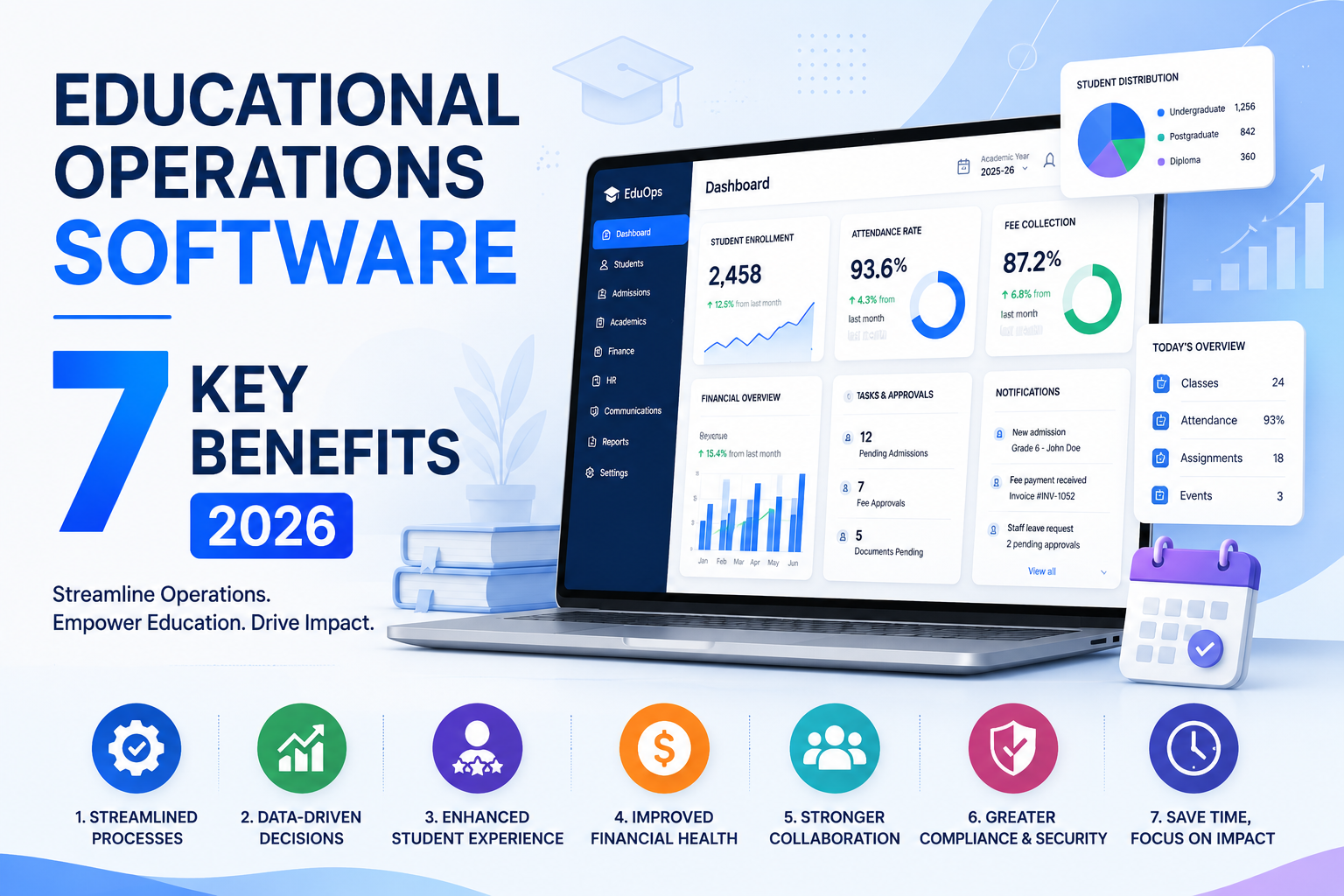
Every school eventually hits the same wall: attendance lives in one system, grades in another, tuition invoices in a spreadsheet someone inherited from the last office manager, and parent communication happens over whatever email thread didn't get lost. Educational operations software exists to end that and in 2026, it's stopped being a nice-to-have for well-funded districts and become close to table stakes.
This guide covers what educational operations software actually is, the real benefits once it's live (not the sales-deck version), how it's different from an SIS, LMS, or full ERP, what AI genuinely adds right now, and what to check before you sign a contract.
What Is Educational Operations Software?
Educational operations software is an integrated digital platform that consolidates the core administrative functions of a school, college, or university into one unified system. Instead of relying on a patchwork of disconnected tools one platform for attendance, another for grades, a spreadsheet for budgets educational operations software brings everything together so staff, students, and parents are always working from the same source of truth.
At its core, the software typically manages five major operational areas:
| Module | What It Handles |
|---|---|
| Student Information System (SIS) | Enrollment records, grades, attendance history, health data, personal profiles |
| Scheduling & Calendaring | Class timetables, exam scheduling, room booking, extracurricular coordination |
| Financial Management | Tuition billing, fee collection, budget tracking, payroll integration |
| Communication Tools | School-wide announcements, parent-teacher messaging, emergency notifications |
| Reporting & Analytics | Real-time dashboards, performance trends, compliance reports, predictive insights |
In 2026, with AI-powered decision-making becoming standard practice across every sector, institutions that still rely on siloed, manual systems aren't just behind technologically they're behind in the quality of education and administration they can realistically deliver. The market reflects this shift: global spending on this category is projected to reach roughly $23.9 billion in 2026, up from about $20 billion the year before, according to The Business Research Company.
Educational Operations Software vs SIS vs LMS vs ERP: Where It Fits
This is the distinction most buyers never get a straight answer on, so it's worth being precise:
- SIS (Student Information System) is the academic system of record grades, attendance, enrollment history. It's narrow and deep, not built for finance or communication.
- LMS (Learning Management System) — Canvas, Google Classroom, Blackboard handles instructional content and coursework delivery, not administrative operations.
- Educational operations software sits above the SIS layer: it wraps academic records together with finance, scheduling, HR, and communication into one operational system that runs the institution day to day.
- Full ERP goes further still, adding heavy procurement, multi-entity payroll, and back-office finance complexity closer to what a large university or multi-campus network needs.
In practice, larger institutions often run all of these together an SIS for academics, educational operations software for daily administration, and a full ERP for enterprise finance integrated rather than duplicated. Most single-campus schools and small-to-mid districts are better served by one educational operations platform that already includes SIS-level data plus the operational layer, rather than stitching together three separate systems. Buying a full ERP when what you actually needed was operations software is one of the more expensive mistakes institutions make during procurement.
Why Schools Are Adopting Educational Operations Software Now
Three forces are converging in 2026:
- Administrative load keeps climbing. More compliance reporting, higher parent-communication expectations, more data to track without staffing growing to match.
- Fragmented tools create real risk, not just inconvenience. When attendance, grades, and financial records live in separate systems, audits (FERPA, state reporting, accreditation) become slow, and reconciling data after an incident is genuinely difficult.
- AI has become a practical layer, not a novelty. Predictive attendance flags, smarter fee-reminder timing, and scheduling optimization are becoming standard features of educational operations platforms rather than premium add-ons though it's worth being clear-eyed about what that actually means in practice (more below).
7 Key Benefits of Educational Operations Software
1. Dramatic Time Savings Through Automation
One of the most immediate, measurable benefits is reclaiming teacher and administrator time. Routine tasks like daily attendance tracking, progress-report generation, substitute-teacher scheduling, and tuition invoicing can quietly eat up dozens of staff hours a week when handled manually.
With educational operations software, these tasks run on set schedules or trigger automatically from predefined rules. Attendance logs digitally in seconds. Reports compile themselves. Invoices go out automatically at the end of each billing cycle freeing staff to spend their time on judgment calls, like following up with a struggling student's family, instead of data entry.
2. Centralized, Real-Time Data Access
Data is only useful if it's accessible and trustworthy. When student records live in one system, attendance in another, and financial data in someone's personal spreadsheet, administrators can't get an accurate picture of where the institution actually stands.
A modern educational operations platform gives principals, department heads, and district administrators a single dashboard covering everything from individual student performance trends to institution-wide enrollment and budget burn rate so decisions get made on current facts, not last month's export.
This centralization matters most in compliance-heavy moments: FERPA audits, state reporting requirements, and accreditation reviews become far simpler when data is organized, timestamped, and audit-ready on demand rather than assembled under deadline pressure.
3. Seamless Communication Across the School Community
Poor communication is one of the most common and most avoidable sources of friction in schools. Parents miss deadlines. Teachers don't hear about policy changes until after the fact. Students fall through the cracks because one department didn't know what another was doing.
Educational operations software addresses this with built-in communication tools that reach every stakeholder through their preferred channel: email, SMS, in-app notification, or parent portal. Announcements, grade releases, attendance alerts, and event reminders are managed from one hub, with delivery tracking so "I sent that already" is actually verifiable.
4. Cost Efficiency and Smarter Resource Allocation
Consolidating multiple standalone tools into one platform typically lowers total software spend on its own. But the savings run deeper than subscription costs.
Intelligent scheduling within educational operations platforms can reduce classroom under-utilization a real, ongoing cost for institutions paying for space they aren't fully using. Automated financial management cuts down on billing errors and the staff hours spent chasing late payments. And when every department works inside the same system, duplicated effort across teams drops sharply.
Institutions that fully implement an integrated operations platform typically report recouping the investment within 12–18 months through time savings, fewer errors, and better resource efficiency.
5. Honest AI Assistance, Not Just an AI Label
Every vendor in this category now claims an AI feature worth being specific about what's actually real in 2026.
What's genuinely useful today:
- Predictive attendance and performance flags — surfacing students trending downward before it becomes a crisis, based on patterns in existing data.
- Smart fee-reminder timing — sending payment reminders when they're statistically more likely to land, instead of on a fixed schedule.
- Scheduling and substitute-teacher optimization — reducing the manual puzzle-solving when a teacher calls in sick.
What to be skeptical of: any vendor implying AI replaces human judgment on academic or disciplinary decisions, or promising "personalized learning at scale" without being able to explain the model in plain language. The realistic framing AI in educational operations software is a pattern-recognition layer that points staff toward the right intervention faster. It doesn't make the intervention for them.
6. Stronger Data Security and Compliance Posture
Student data is sensitive, and the stakes for getting this wrong are higher than most procurement checklists reflect. A 2024 ransomware attack on Los Angeles Unified School District exposed roughly 540,000 student records and cost an estimated $18 million in remediation a clear reminder that "the vendor said it's secure" isn't sufficient due diligence.
Before signing with any educational operations software vendor, get specific answers on:
- FERPA compliance — how student records are protected, who has access, and how that access is logged
- Encryption — both at rest and in transit
- Data residency — where the data physically lives, especially relevant if your state or country has data-sovereignty requirements
- Breach history and response plan — has this vendor had an incident, and what was the disclosed response time
- Role-based access controls — can a teacher see only their own students' records, not the whole school's
Cloud deployment now dominates the category, mostly because institutions prefer elastic infrastructure over the capital expense of on-premises servers but cloud isn't automatically more secure than on-premises. It depends entirely on the vendor's actual practices, not the deployment model.
7. Built to Scale With Your Institution
Whether you're a growing charter school adding a grade level each year or a university expanding to satellite campuses, educational operations software should be built to grow with you. Leading platforms let administrators add users, unlock new modules, and integrate new third-party tools without a full system migration two years later.
This scalability extends to complexity, too. As an institution matures, its operational needs get more sophisticated more nuanced scheduling, more complex financial structures, more granular reporting. A well-designed educational operations platform absorbs that growth instead of forcing a rebuild from zero.
How to Evaluate an Educational Operations Software Vendor
| Question | Why It Matters |
|---|---|
| Does it cover admissions, attendance, fees, academics, and communication out of the box? | Avoids needing a second system to fill gaps |
| Does it integrate cleanly with your existing LMS, Google Workspace, or Microsoft 365? | You shouldn't have to abandon tools staff already know |
| Is pricing per-student, per-year, and transparent — including implementation and training costs? | Hidden implementation costs are the most common budget surprise |
| What's the realistic implementation timeline for your size? | Small schools: 2–4 months for core modules. Larger institutions: 4–6 months with customization |
| Can you pilot with one grade or department first? | De-risks a full-institution rollout |
| What does the vendor's security documentation actually specify — not just claim? | See the compliance section above |
| Is there local, human support, not just a ticketing queue? | Matters most in the first 90 days after go-live |
Common Reasons Implementations Stall
Rarely discussed, but worth knowing before you're mid-rollout:
- Data migration gets underestimated. Moving years of student records out of spreadsheets and legacy systems takes real cleanup time budget for it explicitly.
- Training gets compressed. A powerful platform used by untrained staff performs worse than a simple one used well.
- Rollouts go institution-wide instead of piloted. Starting with fees and admissions, then layering in academics and communication, produces far fewer support tickets than switching everything over on day one.
- No one owns the transition internally. Institutions that appoint a single internal coordinator to troubleshoot and train colleagues see noticeably smoother adoption than those relying on the vendor alone.
Realistic expectation: most institutions see measurable benefit within 6–12 months, not immediately at go-live.
Essential Features to Look For in 2026
Not all platforms in this category are built the same. As you evaluate options, prioritize:
| Feature | Why It Matters |
|---|---|
| Intuitive, role-based interface | Teachers, parents, and administrators have different needs — a good platform shows each user exactly what's relevant, nothing more |
| LMS and third-party integrations | Should connect cleanly to Google Workspace, Microsoft 365, Canvas, or Blackboard — not force you to replace them |
| Real-time analytics and reporting | Dashboards that update instantly catch problems early, before an attendance issue becomes a dropout |
| Mobile-first design | In 2026, most parents and many teachers interact with school systems primarily on mobile |
| FERPA and data-privacy compliance | Role-based permissions, encryption, and documented — not just claimed — compliance |
| Configurable workflows | Every institution's processes differ; the software should adapt to you, not the reverse |
| AI-assisted insights | Predictive analytics that flag at-risk students, forecast enrollment trends, and recommend scheduling optimizations — evaluated honestly, per the section above |
Conclusion
Educational operations software is reshaping how schools run in 2026 simplifying administration, improving communication, and enabling decisions based on real, current data instead of assumptions. It turns a fragmented set of tools into a connected, efficient, and future-ready institution.
If your school is looking to reduce administrative workload, tighten compliance, and improve the experience for staff, parents, and students alike, the platforms winning in 2026 aren't the ones with the flashiest AI claims they're the ones that cover the operational basics well, integrate with what you already use, and are transparent about implementation cost and timeline before you sign anything.