
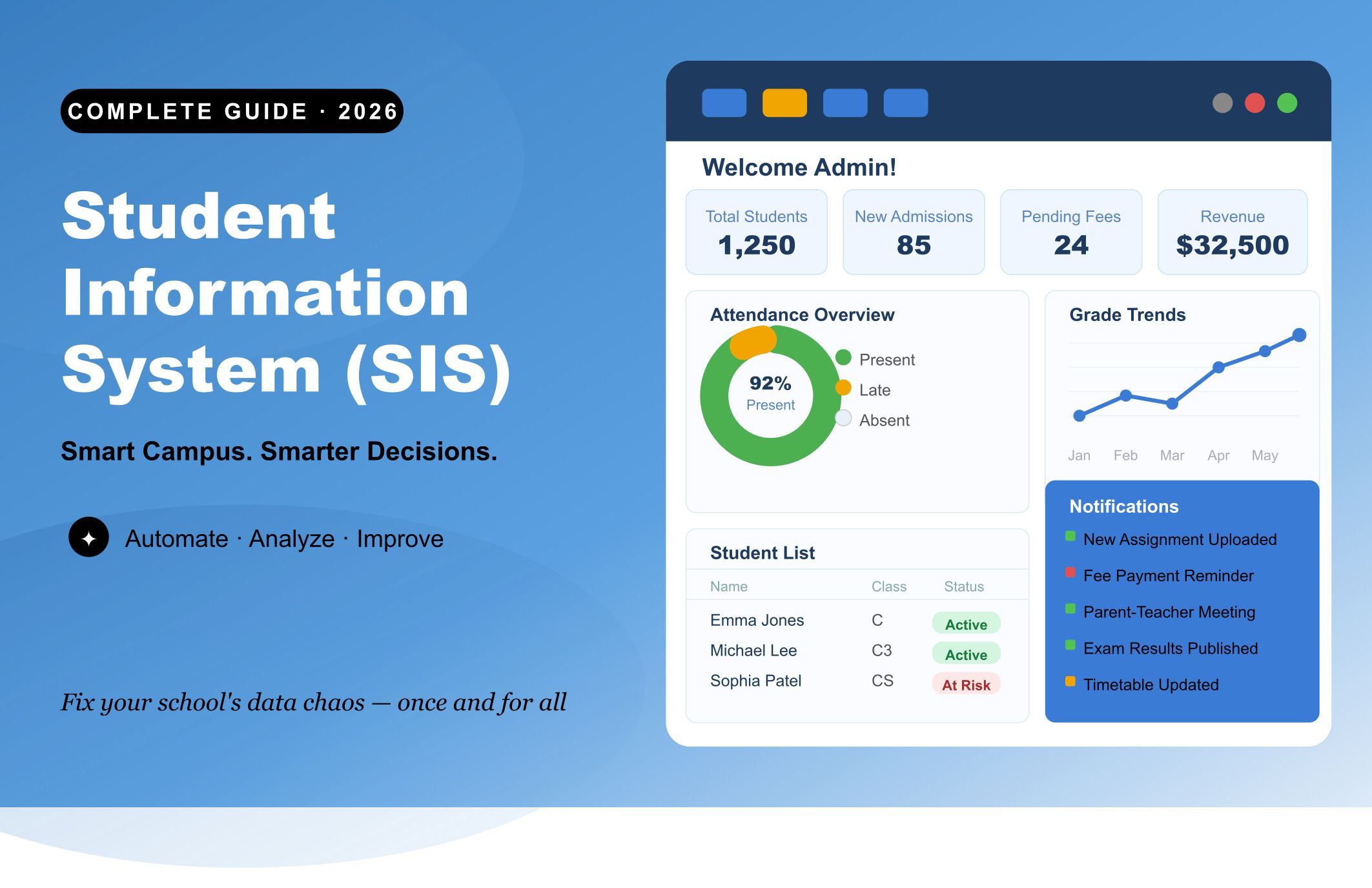
Imagine it's the first week of a new semester. Your registrar's inbox has 200 unread messages. A parent is calling about a grade that was recorded incorrectly three weeks ago and no one can find the original submission. Three departments each have a different version of the same student's enrollment status. Two staff members are manually re-entering data that already exists in a spreadsheet nobody can locate.
This isn't a worst-case scenario. For thousands of schools still running on disconnected tools, this is just Tuesday.
A Student Information System commonly called an SIS exists specifically to end that cycle. This guide explains what a student information system actually is, how modern platforms work, what features to demand, how K-12 and higher education needs differ, and how to make a buying decision you won't regret six months after go-live.
What Is a Student Information System (SIS)?
A student information system is a centralized software platform that manages everything related to a student's academic journey from the first point of contact during admissions to graduation, and in many systems, into alumni engagement afterward.
At its most basic, an SIS stores and organizes student data: personal details, enrollment status, academic records, attendance, grades, financial balances, and communication history. But describing a modern SIS as a "database" undersells what these platforms actually do. Today's systems automate administrative workflows, generate compliance reports, enable real-time communication between staff, students, and parents, and use predictive analytics to flag students who may be heading toward failure before anyone has noticed the warning signs.
What is a student information system?
A student information system (SIS) is software that centralizes and manages all student-related data across an educational institution including admissions, enrollment, attendance, grades, scheduling, financial records, and communication in a single integrated platform.
You'll also hear the terms Student Management System (SMS), School Information System, Student Information Management System (SIMS), and Student Records System (SRS) used interchangeably. While subtle functional differences exist between these labels, they all refer to the same core concept: one unified system to manage the full student lifecycle and your institution's administrative processes.
A Brief History of Student Information Systems
Student information systems have existed in some form since the 1960s, initially as basic mainframe databases for storing academic records. For decades they evolved slowly largely on-premise installations that required dedicated IT teams, significant capital investment, and painful upgrade cycles.
The first major disruption came in the early 2000s with web-based access. The second, more fundamental shift arrived in the 2010s with cloud computing. Today, over 72% of new SIS deployments are cloud-based, enabling mobile-first access, automatic updates, and dramatically lower upfront costs. The third shift happening right now is the integration of AI and predictive analytics directly into SIS platforms, transforming them from record-keeping tools into active management systems.
Who Uses a Student Information System?
An SIS isn't just an administrator's tool. When implemented well, it touches every stakeholder in an institution's ecosystem:
- Administrators and registrars use it to manage enrollment, generate compliance reports, and track institutional metrics
- Teachers and faculty use it for digital gradebooks, attendance recording, and student history
- Students use self-service portals to register for courses, check grades, and view financial balances
- Parents use parent portals to monitor attendance, grades, and upcoming deadlines
- IT and leadership use dashboards and analytics to make strategic decisions about resources and outcomes
Student Information System vs LMS vs ERP: The Definitive Comparison
This is one of the most common points of confusion when evaluating education technology. Here's the plain-English breakdown:
| System | Primary Function | Primary Users | Examples |
|---|---|---|---|
| SIS (Student Information System) | Manages student data, enrollment, grades, attendance, and academic records | Admins, registrars, advisors, parents | PowerSchool, Infinite Campus, Ellucian Banner, Clast.io |
| LMS (Learning Management System) | Delivers course content, manages assignments, and supports online/blended learning | Faculty, students | Canvas, Blackboard, Moodle |
| ERP (Enterprise Resource Planning) | Handles institution-wide operations including HR, finance, facilities, and payroll | Finance, HR, operations | Workday, SAP, Oracle |
The critical insight: these systems are not alternatives they're complements. An SIS that integrates with your LMS means grades flow automatically without manual entry. An SIS connected to your ERP means financial aid data is always current. The goal is a unified digital ecosystem where data moves seamlessly across all three, and no staff member is keying the same information into multiple platforms.
Institutions that treat these as competing purchases end up with data silos. Institutions that plan for integration from the beginning build the infrastructure that drives operational efficiency for years.
The Real Problems Schools Face Without a Proper SIS
Before getting into features and benefits, it's worth naming the actual pain that pushes institutions to make this investment. If any of the following are familiar, the cost of not acting is likely higher than the cost of a modern SIS.
| Without a Modern SIS | With a Modern SIS |
|---|---|
| Student records scattered across spreadsheets, email, and paper | All student data in one secure, searchable, permission-based system |
| Attendance tracked manually errors and gaps everywhere | Biometric, RFID, or app-based attendance captured automatically in real time |
| Enrollment season becomes an all-hands operational crisis | Online enrollment with automated tracking, communications, and real-time dashboards |
| Teachers spend hours on administrative tasks instead of teaching | Digital gradebooks with auto-calculated report cards and transcript generation |
| Parents have no visibility into their child's progress between report cards | Parent portals with live access to grades, attendance, fees, and teacher messages |
| Compliance reports take days to compile and are always at risk of error | Compliance reports generated in minutes from clean, centralized data |
| Data silos between departments no one has the full institutional picture | Integrated real-time data accessible across all departments with role-based permissions |
| No way to identify at-risk students until it's too late | AI-powered early warning systems flag at-risk students weeks before outcomes deteriorate |
SIS for K-12 vs Higher Education: Key Differences
Most SIS guides treat "schools" as a monolithic category. They aren't. A K-12 district and a research university have fundamentally different operational needs, and the right SIS for one may be entirely wrong for the other.
K-12 Institutions Need:
- Behavior and discipline management : Recording behavioral incidents, interventions, and achievements within the student record
- Special education (IEP/504 tracking) : Managing individualized education programs and accommodation plans at scale
- Parent engagement tools : Robust parent portal and mobile notification features, since parents of younger students are primary stakeholders
- District-level reporting : Multi-school administration, standardized testing tracking, and government compliance reporting
- Lunch and health record management : Integration with school health services and nutrition programs
- Bus routing and transportation : Attendance-linked transportation management
Higher Education Institutions Need:
- Course registration and scheduling : Students self-registering across hundreds of courses, with conflict detection and waitlist management
- Financial aid management : Complex federal, state, and institutional aid packaging, disbursement, and satisfactory academic progress tracking
- Degree audit and academic planning : Tracking student progress toward graduation requirements across multi-year programs
- Alumni and donor relations : Lifecycle management that extends beyond graduation into alumni engagement and giving
- Competency-based and non-traditional programs : Flexible academic structures to support adult learners, certificate programs, and part-time enrollment
- Multi-campus operations : Unified data management across multiple physical locations
The clearest signal that a vendor can serve your institution is their existing customer base. Ask specifically about reference customers in your institution type before committing to any evaluation process.
Key Features Every Modern SIS Should Have
Not all student information systems are built equally. These are the capabilities that genuinely matter the ones that separate a platform that transforms operations from expensive shelf ware.
1. Enrollment and Admissions Management
Complete online application workflows, document upload and verification, automated status communications to prospective students, lead scoring, and real-time enrollment dashboards for leadership. The best systems eliminate manual data entry entirely from the admissions process.
2. Student Records and Academic History
A comprehensive, longitudinal record for every student personal details, academic history, prior credentials, health information, emergency contacts stored securely and retrievable instantly. This record should follow the student from first inquiry through graduation.
3. Attendance Tracking
Multi-modal capture options (biometric, RFID, mobile app, manual entry) with real-time dashboards and automated parent notifications when a student is absent. Trend analysis that flags students whose attendance patterns are deteriorating before absences become chronic.
4. Gradebook and Academic Records
Digital gradebooks with customizable rubrics, weighted grade calculations, automatic report card generation, and secure transcript management. Grades should never require manual re-entry from one system to another.
5. Scheduling and Timetabling
Intelligent timetable generation that avoids resource conflicts, balances teacher workloads, accounts for room capacity, and supports hybrid or blended learning schedules. Manual timetabling at scale is a known productivity drain that good SIS platforms solve automatically.
6. Parent and Student Portals
Secure, mobile-responsive self-service portals with real-time visibility into grades, attendance, financial balances, course schedules, and direct messaging. The portal experience is often the primary touchpoint families have with your institution outside of physical visits.
7. Financial Management
Fee collection, payment processing, financial aid packaging and disbursement, invoice generation, and integration with accounting systems. Institutions that still manage fees through a separate spreadsheet process are carrying significant operational risk.
8. Analytics and Reporting
Real-time institutional dashboards, customizable compliance reports, and critically predictive dropout risk analytics. The ability to identify students at risk of disengaging before they actually disengage is the single feature with the highest measurable impact on retention.
9. Integration Ecosystem
Native or certified connectors to your LMS, ERP, CRM, payment gateway, communication platform, and third-party analytics tools. An SIS that can't talk to the rest of your technology stack becomes an information island. Evaluate integration quality as rigorously as you evaluate features.
10. Data Security and Compliance
Role-based access controls, data encryption at rest and in transit, detailed audit trails, multi-factor authentication, and verified compliance with FERPA (US), GDPR (Europe), and applicable local data protection laws. With cybersecurity incidents targeting educational institutions rising sharply, this is not a category to compromise on.
Benefits of a Student Information System for Every Stakeholder
For Administrators and Leadership
- Real-time enrollment data for accurate resource planning and early intervention
- Compliance reports generated automatically for FERPA, accreditation bodies, and government agencies
- Predictive analytics that surface retention risks and inform strategic investment decisions
- A single, unified view of institutional performance across every department
For Teachers and Faculty
- Digital gradebooks and assessment tools that reclaim hours previously lost to paperwork
- Automated attendance recording no more manual roll calls
- Instant access to a student's complete academic history before advising conversations
- Integrated communication tools to reach students and parents without leaving the system
For Students
- 24/7 self-service access to grades, schedules, transcripts, and fee balances from any device
- Self-service course registration and enrollment management
- Real-time visibility into financial aid status
- Personalized academic support informed by AI-driven insights from their own data
For Parents
- Live access to attendance records, grades, and behavioral logs without waiting for scheduled report cards
- Automated notifications for absences, upcoming assessments, and fee payment deadlines
- Direct, documented communication with teachers through secure portals
- Genuine transparency into their child's academic trajectory at every stage
How to Implement a Student Information System: What to Expect
One of the most under-served questions in this space is what SIS implementation actually looks like. Here's a realistic picture
Typical Implementation Timeline
| Phase | Duration | Key Activities |
|---|---|---|
| Discovery and planning | 4–6 weeks | Needs assessment, stakeholder mapping, data audit, vendor alignment |
| Data migration | 3–8 weeks | Cleaning legacy data, mapping to new schema, test imports |
| System configuration | 4–8 weeks | Configuring workflows, forms, permissions, integrations |
| Staff training | 2–4 weeks | Role-based training, documentation, pilot testing |
| Go-live and stabilization | 2–4 weeks | Phased rollout, intensive support, feedback loops |
| Total | 3–6 months | Varies by institution size and data complexity |
Larger institutions with decades of legacy data and complex integrations should budget toward the higher end. Platforms with strong implementation teams and standardized onboarding consistently achieve go-live faster than those that treat implementation as a self-serve project.
The Most Common Implementation Mistakes
- Underestimating data migration complexity. Legacy data is almost always messier than it looks. Budget extra time for data cleaning before migration, not after.
- Skipping change management. The best SIS in the world fails if staff don't use it. A formal change management plan including communication, training, and visible leadership support is not optional.
- Choosing based on features alone. A platform with 200 features that takes 12 clicks to record attendance will be abandoned. Usability during real workflows is the most important evaluation criterion after compliance.
How Much Does a Student Information System Cost?
SIS pricing is not standardized, which makes budgeting difficult. Here are the primary cost structures you'll encounter:
| Pricing Model | Typical Range | Best For |
|---|---|---|
| Per-student subscription | $5–$30/student/year | Schools with predictable enrollment |
| Flat institutional subscription | $10,000–$100,000+/year | Mid-to-large institutions |
| One-time license + maintenance | $50,000–$500,000+ upfront | Large universities preferring capital expenditure |
| Module-based pricing | Variable | Institutions that need only specific functions |
The sticker price is rarely the real cost. When calculating Total Cost of Ownership (TCO), include:
- Implementation and setup fees (often 20–50% of first-year subscription cost)
- Data migration costs (highly variable depending on legacy system complexity)
- Training (both initial and ongoing as staff turn over)
- Integrations (custom API work can be significant if your LMS or ERP isn't natively supported)
- Ongoing support tiers (premium support SLAs cost more — and are usually worth it)
A less expensive platform that requires six months of consultant work to configure often costs significantly more than a mid-tier option with streamlined onboarding. Always request a total cost breakdown, not just the subscription rate.
How to Choose the Right Student Information System: A 6-Step Framework
Step 1: Start With a Thorough Needs Assessment
Before contacting a single vendor, document your current pain points in specific, operational terms. Which processes are breaking down? Where is data being duplicated or lost? What do staff, teachers, students, and parents complain about most? This documentation becomes your evaluation scorecard.
Step 2: Define Your Non-Negotiables
Every institution has requirements that are genuinely non-negotiable: a specific compliance framework, integration with an existing LMS, support for a particular academic structure, or data residency requirements. Identify these before vendor discussions and eliminate any platform that can't meet them before spending time on demos.
Step 3: Evaluate Total Cost of Ownership
Request a full TCO breakdown from every vendor including implementation, migration, training, integrations, and support costs. Compare like-for-like. A lower subscription price that hides significant implementation costs is a common buying trap.
Step 4: Demand Workflow Demos, Not Feature Tours
Ask vendors to demonstrate the specific daily workflows your staff actually perform. Have your registrar process an enrollment. Have a teacher record grades. Have an administrator generate a compliance report. The "3-click rule" is a useful benchmark: if completing a common task requires more than three clicks, usability will become a persistent problem.
Step 5: Talk to Reference Institutions With the Right Questions
Ask: How long did implementation actually take vs the initial estimate? What happened when something went wrong? How responsive is support at renewal time not just during the sales process? Has the platform performed as promised after 12 months of production use?
Step 6: Verify Security Architecture Independently
Before signing any contract, verify: data encryption at rest and in transit, role-based access controls, audit trail capabilities, MFA support, compliance with FERPA and GDPR, and the vendor's breach notification policy. Ask for their most recent SOC 2 or equivalent audit report.
Student Information System Market Trends in 2026
AI Has Become a Baseline Expectation
Predictive dropout risk analytics, AI-powered attendance tracking, and automated administrative workflows have rapidly shifted from premium features to standard expectations. Institutions evaluating a new SIS in 2026 should treat AI capabilities as table stakes, not differentiators.
Cloud-First Is Now Cloud-Default
The migration to cloud-based SIS is effectively complete for new implementations, driven by lower upfront costs, automatic updates, superior uptime, and mobile accessibility from day one. On-premise deployments are increasingly limited to institutions with specific data sovereignty or legacy integration requirements.
Non-Traditional Students Are Reshaping Requirements
With certificate program enrollment growing and adult learners representing an increasing share of enrollment, SIS platforms must now support flexible academic structures, part-time scheduling, competency-based education models, and lifelong learning pathways not just traditional semester-based programs.
Integration Quality Is the New Competitive Differentiator
The leading SIS platforms are increasingly evaluated not only on internal feature depth but on how well they connect to the broader technology ecosystem: LMS platforms, CRM tools, financial systems, communication platforms, and third-party analytics tools. Integration quality has become the deciding factor between otherwise comparable platforms.
Data Privacy Regulation Is Increasing
FERPA requirements in the US, GDPR in Europe, and a growing number of national and regional data protection frameworks are raising the compliance bar. Institutions are increasingly prioritizing vendors who can demonstrate verified compliance not just claim it.
Conclusion
A student information system is not a nice-to-have. It's the operational infrastructure that determines whether your institution merely survives its administrative workload or actually manages it with precision and confidence.
The institutions that are outperforming their peers on enrollment, retention, compliance, and operational efficiency in 2026 share one common investment: they stopped treating student data management as a series of disconnected tasks and started treating it as a unified system.
The question for most institutions is no longer whether to adopt a modern SIS it's which one fits their specific operational needs, their team's capacity to implement it well, and their budget reality. Use the framework in this guide to do your needs assessment, demand workflow demos, verify TCO, talk to reference institutions, and insist on seeing the system handle your actual processes before signing anything.
Do that, and you won't just solve the problem in front of you. You'll build the foundation your institution needs to operate better for the next decade.