
Let's be honest for a second.
Running a school in 2026 is not simple. You have hundreds sometimes thousands of students. Parents who want instant updates. Teachers buried in paperwork. Fee records in one system, attendance in another, exam results somewhere else entirely.
And somewhere in the middle of all this, someone is trying to make actual decisions about education.
If that sounds familiar, you're not alone. It's exactly why cloud-based school ERP has become the most important technology investment schools are making right now. Not because it's trendy but because schools that have it are running smoother, spending less time on admin, and doing a better job of keeping parents happy.
This guide tells you everything you need to know. What it is, why it matters, what to look for, what it costs, and how to make sure the one you pick actually works for your school. No vendor promotions. No jargon overload. Just straight answers.
So, What Exactly Is a Cloud-Based School ERP?
ERP stands for Enterprise Resource Planning. It sounds like something from a corporate boardroom but the idea is simple: one system that handles everything.
Think about how most schools currently operate. There's a separate tool for admissions. Another one for collecting fees. A spreadsheet for attendance. A different login for exam results. A WhatsApp group for parent communication (which no one can find when they need it).
A school ERP brings all of that into a single platform. One login. One database. Everything connected.
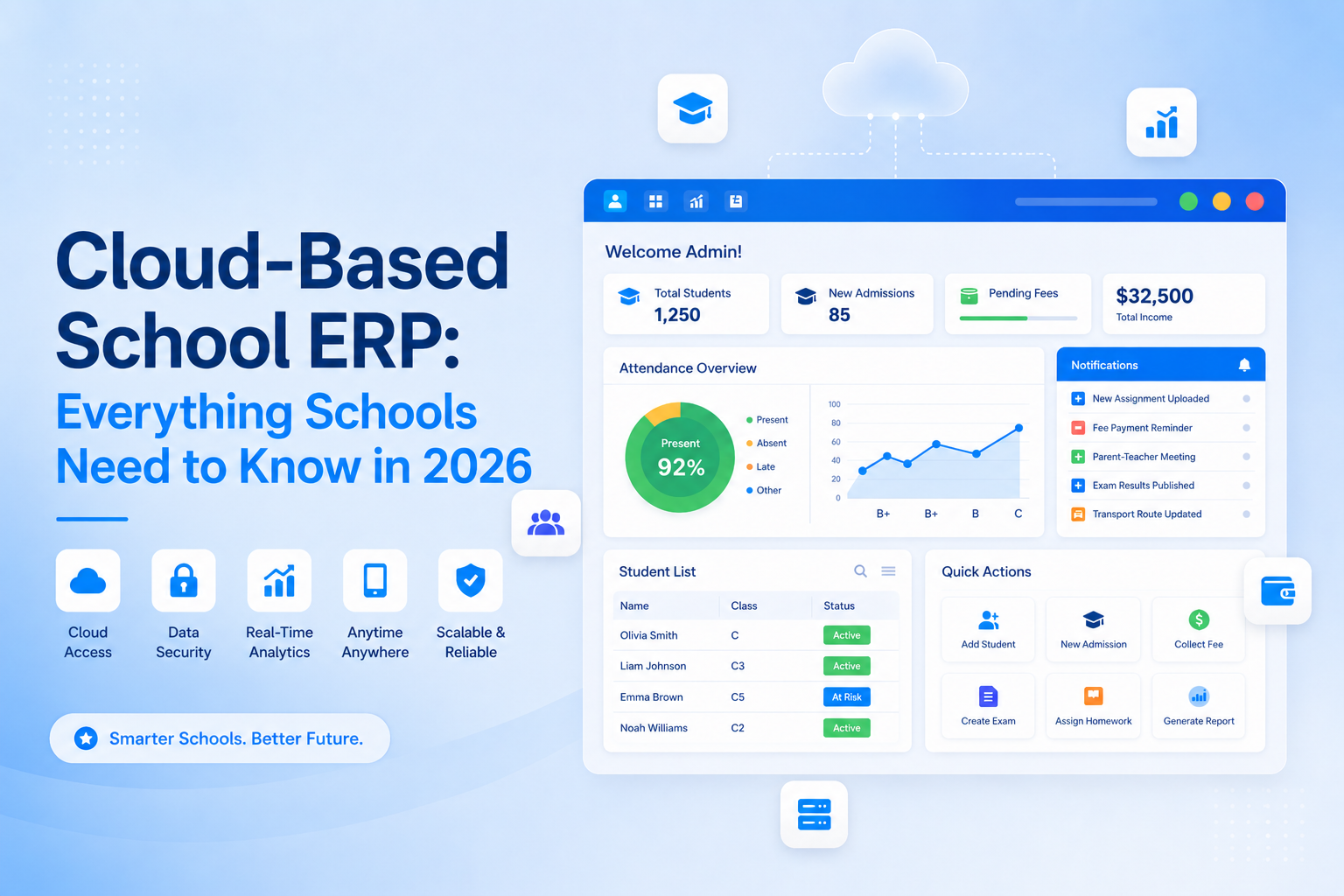
The cloud-based part means this platform lives on the internet not on a server locked in your IT room. You access it through a browser or a mobile app, from anywhere, on any device. Your teachers can use it from the classroom. Your principal can check reports from home. Parents can view their child's progress from their phone.
That's it. That's the concept. Everything else we cover in this guide is just the detail behind why it works and how to get it right.
Why Are Schools Moving to Cloud ERP So Quickly?
This isn't hype. The numbers are real.
The global school ERP market was worth around $4.1 billion in 2024 and is on track to hit $13 billion by 2033. Cloud-based deployment already accounts for more than 61% of all education ERP usage and that share is growing every year.
But forget the market statistics for a moment. The real reason schools are making the switch is much simpler: the old way of doing things has stopped working.
Here's what schools tell us they were dealing with before moving to cloud ERP:
"We had five different systems and none of them talked to each other." When a parent called to ask about their child's attendance, three different staff members would give three different answers because they were each looking at different data.
"Our admin team was spending more time on paperwork than anything else." Manually compiling reports for the school board. Chasing fee payments one by one. Typing attendance from paper registers into a spreadsheet. Hours every week, on tasks that software can handle in seconds.
"When schools went remote during COVID, we had no way to function." On-premise systems were physically locked inside school buildings. Cloud-based schools kept running without missing a beat.
"Parents were calling every day asking for information we couldn't give them quickly." Fee receipts. Exam results. Attendance records. Each request meant someone in the office stopping what they were doing to find the answer.
Cloud-based school ERP solves all of these problems not by being clever technology, but by putting all the right information in the right place, accessible by the right people, at the right time.
The 10 Modules That Make a Great Cloud-Based School ERP
When you're comparing platforms, you'll see a lot of feature lists. Most of them are similar. What separates a good school ERP from a great one isn't the number of modules it's how well those modules are built and how well they connect with each other.
Here are the ten that matter most:
1. Admissions Management
The first impression a family gets of your school often happens during the admissions process. A good school ERP makes that process smooth online application forms, document uploads, interview scheduling, offer letters, and enrollment confirmation all handled in one workflow.
For your team, it means a real-time view of your admissions pipeline. How many applications are pending? Where are families dropping off? This kind of visibility lets you improve your process year on year.
2. Student Information System
This is the backbone of everything. One complete, accurate profile for every student personal details, academic history, medical notes, emergency contacts, disciplinary records, everything.
When all your other modules (attendance, fees, exams) connect back to this single student record, data inconsistencies disappear. You always know you're looking at the truth.
3. Attendance Management
Paper registers are one of the biggest time-wasters in school administration. Cloud-based school ERP replaces them with digital marking through a tablet, a mobile app, a biometric device, or an RFID card reader.
The moment a student is marked absent, parents get an automatic notification on their phone. No waiting. No phone calls. No "I didn't know" from parents three weeks later.
And because the data is being captured properly, patterns become visible. Which students have attendance problems? Which classes have the lowest rates? Which days are worst? Your leadership team can see these trends in real time and act on them before they become bigger issues.
4. Fee Management and Online Payments
Fee collection is one of those areas where old-fashioned processes cost schools real money in staff time, in late payments, in disputes about whether a fee was received.
A proper fee module in a cloud ERP handles everything: generating invoices, sending payment reminders, accepting online payments (cards, bank transfers, UPI, or whatever payment methods your families use), issuing digital receipts, and giving your finance team a live dashboard showing exactly what's been collected and what's outstanding.
Parents can pay from their phone at 10pm if they want to. And your accounts team doesn't have to chase anyone down.
5. Timetable and Scheduling
Ask any school coordinator how long timetable creation takes without software, and watch their expression. It's days of work sometimes weeks balancing teacher availability, room capacities, subject requirements, and a hundred different constraints.
An automated timetable module handles all of that. When a teacher is absent, it can suggest substitute arrangements and notify everyone instantly. No printed notices. No last-minute confusion.
6. Examinations and Assessment
From scheduling exams and assigning invigilators to entering marks, calculating grades, and publishing results this module manages the whole cycle.
The real value is what comes after the results. When exam data is captured properly, you can see which topics consistently trip students up. Which grade levels are performing below expectation. How individual students are trending over time. This is the kind of information that turns a school from reactive to proactive.
7. Human Resources and Payroll
Managing your staff contracts, attendance, leave, appraisals, and payroll inside the same platform that manages your students creates real operational clarity.
When HR data and attendance data share a system, payroll becomes far more accurate. When staff appraisal workflows are built into the platform, they actually happen on time rather than being pushed back quarter after quarter.
8. Transport Management
For schools running buses, transport management has become a safety issue, not just a logistics one. A good school ERP transport module tracks routes, manages student boarding and alighting records, integrates with GPS tracking, and sends parents live location updates through the parent app.
The number of "where is the bus?" phone calls your office receives drops dramatically. And parents feel genuinely safer knowing they can check themselves.
9. Parent Portal and Communication
Let's be direct about something: fragmented parent communication is a governance risk. Messages scattered across WhatsApp groups, email chains, and printed circulars can't be archived, can't be tracked, and can't be searched when something goes wrong.
A school ERP centralizes all communication. School-wide announcements. Class-level notices. Individual messages to parents. Push notifications straight to their phone. Everything logged, everything searchable.
When parents can see their child's attendance, grades, fee status, and homework assignments in one place without calling the school office they're happier, more engaged, and they stop calling with questions staff have to dig to answer.
10. Library Management
Automated cataloguing, barcode scanning, issue and return tracking, overdue reminders, and fine management replace manual library registers with something that actually works. For schools with large collections, the data also shows which books are most popular and which resources are gathering dust useful for future budgeting.
Cloud-Based vs. On-Premise School ERP: The Honest Comparison
This question comes up in every school ERP evaluation. Here's a straight answer:
| Cloud-Based School ERP | On-Premise School ERP | |
|---|---|---|
| Upfront Cost | Low subscription model, no hardware needed | High servers, installation, setup fees |
| Ongoing Cost | Predictable monthly or annual fee | Unpredictable maintenance, upgrades, IT staff |
| Access | Any device, any location | Usually school network only |
| Setup Time | Days to a few weeks | Weeks to months |
| Software Updates | Automatic, included, continuous | Manual, periodic, often extra cost |
| Scalability | Add students or campuses in minutes | Requires hardware planning and budget |
| Data Backup | Automatic, multiple copies, vendor-managed | Your IT team's responsibility |
| Security | Enterprise-grade, professionally managed | Depends entirely on your IT setup |
| Internet Required | Yes | No (but you lose remote access) |
The one honest advantage of on-premise is that it doesn't depend on internet connectivity. If your school is in an area with unreliable internet, that matters and you need to ask vendors about offline functionality.
For every other consideration, cloud wins particularly on cost, accessibility, and the fact that you don't need an in-house IT team to keep it running.
What Does Cloud-Based School ERP Actually Cost?
Pricing is where vendors are least transparent, so let's cut through it.
How it's usually structured: Most cloud-based school ERP platforms charge either per-student per year, or a flat institutional fee. In the Indian market, expect roughly ₹300 to ₹1,500 per student per year depending on the vendor and which modules are included. International markets typically run $3–$15 per student per year.
What to watch out for: The subscription fee is rarely the full story. Watch for implementation fees (setting up the system), data migration fees (moving your existing records in), training costs, customization charges, and integration fees for connecting the ERP with tools you already use. These can add up to more than the annual subscription itself.
What good pricing looks like: A vendor who gives you a clear, all-inclusive quote. Exactly which modules are covered. What's included in the setup process. What happens to your pricing as your student numbers grow. And critically what the terms are if you decide to leave.
Always ask for a three-year total cost of ownership. A platform that looks cheap at ₹400 per student might cost significantly more than a ₹700 option once you account for implementation, training, and support.
Is Your School's Data Actually Safe in the Cloud?
This is the question most school administrators think about longest and with good reason. Your school holds sensitive data about minors. Health records. Family information. Financial details. Getting security wrong isn't just embarrassing. It can be a legal and regulatory problem.
Here's the good news: a well-built cloud ERP is typically more secure than data sitting on a server in your school's IT cupboard. Cloud vendors run dedicated security teams, enterprise infrastructure, and automated monitoring 24/7. Most school IT setups simply can't match that.
But "cloud" doesn't automatically mean "secure." Here's what to verify with any vendor:
Encryption — Your data should be encrypted both when it's being transmitted (between your device and their servers) and when it's sitting in storage. These are called "in transit" and "at rest" encryption. Both should be standard.
Role-based access — A teacher should only see their students. A parent should only see their own child. A finance officer shouldn't be able to view medical records. Good systems let you control exactly who can see what, right down to individual data fields.
Multi-factor authentication — Logging in with just a password isn't good enough in 2026. Your admin accounts especially should require a second verification step an OTP, an authenticator app, or similar.
Where your data is stored — This matters for legal compliance. Schools in India, the EU, or other regions with data localization requirements need to verify their vendor's servers are in an approved location.
What happens when things go wrong — Ask for their uptime guarantee (99.9% is standard), their disaster recovery plan, and what compensation you receive if they breach their SLA.
Independent security certifications — ISO 27001 and SOC 2 Type II are the ones to look for. They mean the vendor's security has been independently audited, not just self-declared.
How to Choose the Right Cloud-Based School ERP: Step by Step
There are a lot of platforms out there. Here's a practical process that actually works:
Step 1 — Write down your problems before you look at solutions Before you watch a single demo, sit with your admin team and list your biggest operational headaches. Fee collection? Attendance tracking? Parent communication? Reporting for the board? Your shortlist should be platforms that directly address those specific problems — not platforms with the longest feature list.
Step 2 — Shortlist vendors who serve schools like yours A platform built for large universities will be overkill (and overpriced) for a 600-student primary school. A platform designed for Indian schools may not handle international curriculum frameworks. Make sure the vendors you're evaluating actually work with schools of your size, type, and location.
Step 3 — Include end users in every demo Your teachers and admin staff are the ones who will use this system every day. Bring them into the demo. A teacher will spot attendance module problems that no administrator would notice. A parent representative will tell you whether the mobile app is genuinely easy to use. These perspectives are more valuable than anything your IT manager sees.
Step 4 — Call the references (actually call them) Any vendor will give you a reference list. Most buyers send a quick email that gets a polished reply. Actually phone them. Ask: What went wrong during implementation? How did the vendor respond? Is their support team actually helpful when there's a problem? Would you pick the same vendor again?
Step 5 — Run a pilot before you commit Most vendors offer a free trial or pilot period. Use it. Load some real data. Have actual teachers use the attendance module for two weeks. Have your finance team test the fee module. Problems that are invisible in a demo become obvious fast when real people use a system under real conditions.
Step 6 — Read the contract carefully Three clauses matter most: Data ownership (your data belongs to you, not the vendor), Data portability (you can export your complete data in a usable format if you leave), and Pricing escalation (what happens to your fee at renewal time). Don't skip this step.
Implementation: What Actually Happens After You Sign
The technology is only half the story. The way you implement it determines whether it succeeds.
Start with clean data. Before you migrate anything, spend time cleaning your existing student records. Duplicate entries, inconsistent names, and missing fields in your existing system will cause problems in the new one. This phase is boring but essential.
Configure before you go live. Setting up your fee structures, grade systems, timetable parameters, and user accounts takes time. Most vendors assign you an implementation consultant be clear upfront about how much of their time is included.
Train by role, not as a whole school. Generic whole-school training sessions don't work. Finance staff need to deeply understand the fee module. Teachers need to be confident with attendance and grades. Admin staff need to know reporting. One-size-fits-all training leaves everyone partially confident and no one fully capable.
Go live in phases. The biggest mistake schools make is trying to switch everything on at once. Start with attendance and fees the modules most people use every day and add others over subsequent terms. Confidence builds gradually, adoption becomes natural, and problems stay manageable.
Review at 30, 60, and 90 days. Book formal check-ins with your vendor at these milestones. What's working well? Where are staff still struggling? What wasn't covered in training? Catching friction early prevents it from becoming permanent resistance.
The Future of Cloud-Based School ERP: What's Changing in 2026
The best school ERP platforms aren't standing still. Three developments are worth paying attention to right now:
AI that actually helps. Not AI as a buzzword AI that does something useful. Leading platforms are now using it to flag students who are showing early signs of falling behind: attendance dropping, grades slipping, assignments being missed. The system flags it. A teacher or counsellor follows up early. Problems that used to become crises get caught while they're still small.
ERP and learning platforms merging. Schools increasingly want their administrative platform and their teaching platform to share data seamlessly. Separate logins and manual data transfers between systems are becoming unacceptable. Platforms that offer genuine ERP and LMS integration in one place are gaining ground fast.
WhatsApp and messaging integrations. In India and across much of the Middle East, Africa, and Southeast Asia, WhatsApp is how parents communicate. Schools that require parents to download a separate app see lower adoption rates. Platforms that push fee reminders, attendance alerts, and exam results straight to WhatsApp see dramatically better engagement.
10 Questions to Ask Every School ERP Vendor
Keep this list in front of you for every conversation:
- Where is our data stored, and does that comply with local data protection laws?
- What is your uptime guarantee, and what happens if you miss it?
- Is data migration support included in the package, or does it cost extra?
- Can you give us references from schools our size and will you let us call them directly?
- What does implementation look like from signing to go-live?
- Are software updates automatic, and will they ever cause downtime during school hours?
- What are your support hours, and what's your guaranteed response time?
- If we decide to switch vendors in two years, how do we get our data out?
- What is your pricing for the next three years, including any renewal increases?
- What security certifications does your platform hold?
A vendor who answers all ten of these confidently and clearly is a vendor worth trusting. A vendor who deflects, becomes vague, or tries to rush you past these questions is one to be cautious about.
Mistakes to Avoid When Buying School ERP Software
Choosing the cheapest option. The lowest-priced platform is rarely the lowest total cost. A system that's frustrating to use, poorly supported, or missing key features will cost you more in staff time and workarounds than a better platform would have cost upfront.
Letting IT decide alone. Your IT team should be involved but the decision shouldn't be theirs alone. The people who will use the system every day (teachers, admin staff, parents) should have meaningful input.
Underinvesting in training. Most implementations that struggle do so because staff weren't trained properly, not because the software is bad. Budget for real training not just a video library and a help centre.
Picking a vendor for their feature list. Features look great in a demo. What matters after go-live is how responsive the support team is when something breaks at 7am on exam day. Ask specifically about support quality it matters more than most buyers expect.
Starting data migration too late. This phase takes longer than almost everyone anticipates. Start cleaning your existing data at least two months before your planned go-live date.
Is Cloud-Based School ERP Right for Your School?
Ask yourself these five questions:
- Are your admin staff spending significant time on tasks that software could handle automatically?
- Are parents regularly calling the office for information they should be able to access themselves?
- Do you struggle to get a clear picture of your school's finances, attendance, or student performance at any given moment?
- Are you running multiple disconnected systems that don't share data?
- Does your current approach to data storage and backup give you genuine confidence?
If you said yes to any of these a cloud-based school ERP is worth serious consideration. If you said yes to more than two, it's probably overdue.
Conclusion
Schools that run on fragmented, manual systems spend too much of their time managing administration and not enough time focusing on education. Cloud-based school ERP doesn't magically fix everything but it removes the friction that was getting in the way.
Your admin team gets their time back. Your teachers get better information. Your parents feel connected and informed. Your leadership team can make decisions based on real data instead of outdated reports compiled by hand.
The schools that are thriving in 2026 aren't necessarily the biggest or the best-resourced. They're the ones that run efficiently, communicate clearly, and use technology in ways that actually free people up to do their best work.
Getting the right cloud-based school ERP is one of the most impactful decisions a school can make. Take the time to do it properly and when you do, the difference is felt by everyone from the principal's office to the parent checking their phone at pickup time.