
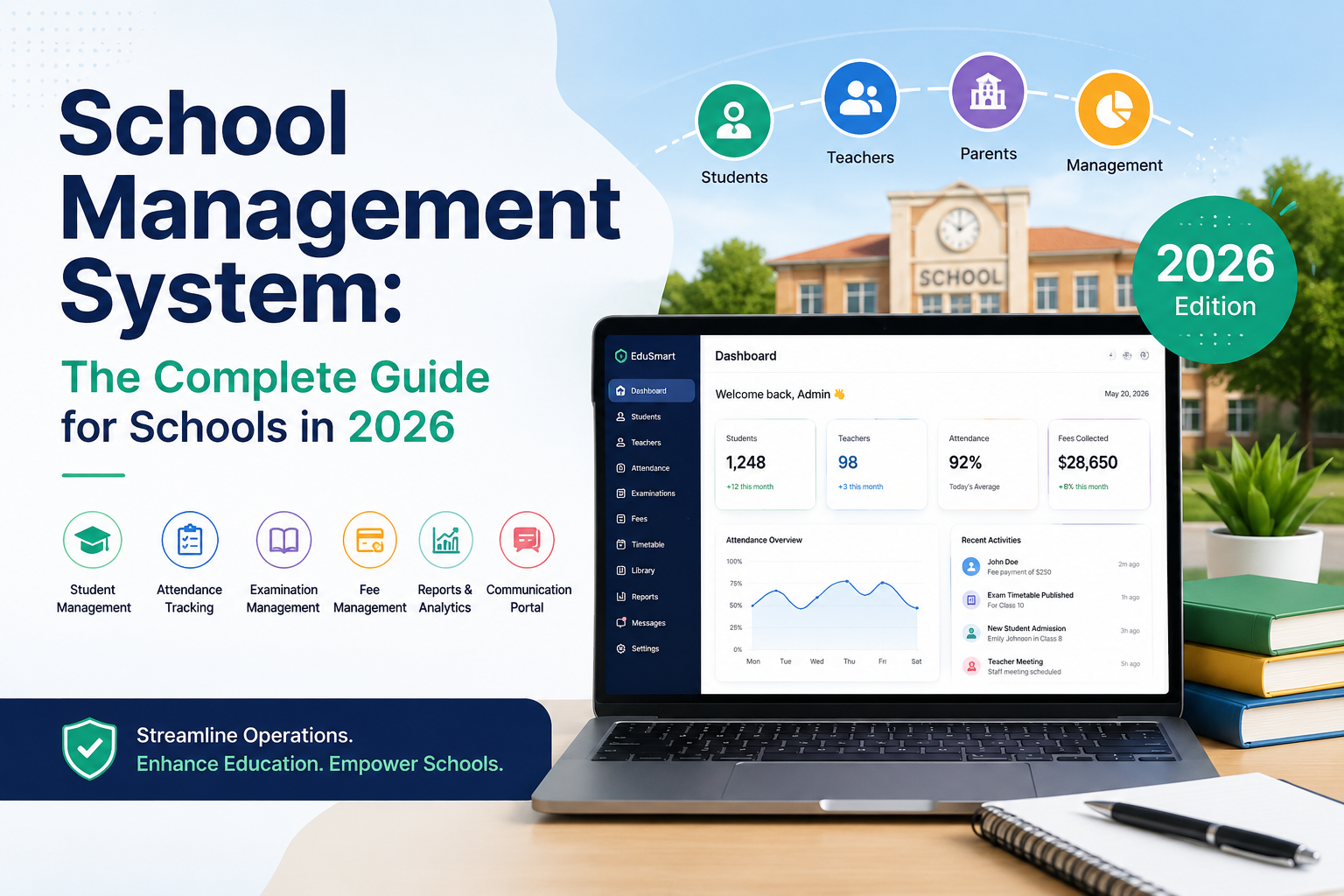
A school management system is software that centralizes and automates a school's administrative operations enrollment, attendance, fees, timetables, grading, and parent communication into one platform. This guide covers what a school management system is (and how it differs from an SIS, ERP, or LMS), its core features, 2026 pricing, how to evaluate vendors, and the questions buyers ask most.
If your school is still running attendance on paper, chasing fees through a spreadsheet, and answering the same parent phone calls every week, a school management system also called school management software, a school administration system, a school data management system, or school ERP is the fix. This guide walks through what one actually does, what to require from a vendor, and how to avoid the mistakes that sink most implementations.
What Is a School Management System?
A school management system is a centralized digital platform that automates day-to-day school administration student records, attendance, timetabling, fee collection, grading, and parent communication replacing paper processes and disconnected spreadsheets with one connected system every stakeholder can access in real time.
You'll see this category described under several overlapping names, and each one shows up as its own search term because buyers genuinely use them interchangeably:
| Term | What it emphasizes | Typical context |
|---|---|---|
| School Management System (SMS) | All-round admin automation | K-12 international and independent schools |
| Student Information System (SIS) | Student records and academic data | US K-12 districts, higher education |
| School ERP | Adds finance, HR, payroll | Large school groups and multi-campus chains |
| School Administration Software | Administrative workflow, generic phrasing | General-purpose descriptions |
| School Data Management System | Records, storage, and reporting emphasis | Compliance and IT-focused buyers |
A teacher marks attendance on a phone; a parent gets an instant alert; an administrator sees the compliance report update in real time no phone call, no printed register, no re-typing the same data into three tools.
A quick note on "school portal": you'll sometimes see this used almost interchangeably with "school management system." Strictly, the portal is just the login interface the web or app screen where a student, parent, teacher, or administrator signs in to reach their piece of the system. The school management system is the full platform running underneath it. When someone searches "school management system portal," they generally mean the whole platform, portal included.
School System Management vs School Management System
These two phrases get searched almost interchangeably, but they point at slightly different things. "School management system" refers to the software itself. "School system management" more often describes the practice how a district or school group governs, standardizes, and oversees operations across multiple sites, which a school management system supports but doesn't replace. If you're evaluating vendors for a single campus, you want the software. If you're standardizing operations across a multi-school system, you want the software plus a governance model for how every campus uses it consistently.
School Management System vs SIS vs LMS vs ERP
This is the single most common point of confusion for first-time buyers, so it's worth settling early
| System | Core job | Who uses it most |
|---|---|---|
| SMS School Management System | Runs school operations: enrollment, attendance, billing, communication | Administrators, finance, registrars |
| SIS Student Information System | Stores and retrieves student records | Registrars, compliance teams |
| LMS Learning Management System | Delivers course content, assignments, and online learning | Teachers, students |
| ERP Enterprise Resource Planning | Wraps SMS functions together with HR, payroll, and facilities | School groups, universities, multi-campus trusts |
Think of it this way: the LMS is the classroom, the SIS is the filing cabinet, and the SMS is the school office that makes everything run. Most modern school management systems now include full SIS functionality, which is why vendors often use the terms interchangeably. If a vendor says "SIS," ask directly whether it also handles billing, enrollment workflows, and parent communication if those live in separate tools, you're looking at a traditional SIS, not a full school management system.
Why Every School Needs One in 2026
The case for a school management system isn't philosophical anymore the market data makes it numerical.
The school management system market, by the numbers
Independent analysts don't fully agree on the exact size of the school management system market, but every recent estimate points the same direction: fast, sustained growth.
| Metric | Figure | Source |
|---|---|---|
| Global market size (2024) | $21.94 billion | Data Bridge Market Research |
| Global market size (2025) | $20.18 billion | The Business Research Company |
| Projected size by 2030 | $42.58 billion (15.5% CAGR) | The Business Research Company |
| Projected size by 2032 | $77.57 billion (17.1% CAGR) | Data Bridge Market Research |
| Projected size by 2035 | $143.54 billion | Market Research Future |
| Higher-ed institutions using an SMS | ~80% | Classter EdTech Stats Report |
The estimates diverge because analysts define "school management system" differently some include LMS and HR-adjacent tools, others don't. But directionally they agree: schools without a management platform are now the outliers.
Operational pain points that drive adoption
- Administrative overload. Office staff commonly spend a third or more of their working week on data entry, report generation, and fee chasing all tasks purpose-built software automates.
- Rising parent expectations. Parents expect the same digital transparency from a school that they get from a bank or an online retailer: real-time attendance alerts, online payment, instant results access.
- Regulatory pressure. Education authorities in most countries require accurate, auditable records paper systems create compliance risk that can affect accreditation.
- Fee leakage. Schools without automated reminders and online payment consistently lose revenue to late or missed payments.
- Multi-campus complexity. Groups running two or more sites can't hold a consistent operational standard without one centralized system manual consolidation across branches is slow and error-prone.
What Does a School Management System Need to Do?
Before you evaluate any vendor, it helps to separate school management system requirements into three buckets. This is the fastest way to stop being swayed by a demo full of features you'll never use.
| Category | Examples | Why it matters |
|---|---|---|
| Functional requirements | Enrollment workflows, attendance, gradebook, fee collection, timetabling, communication | These are the day-to-day jobs the system must do out of the box |
| Technical requirements | Cloud hosting, mobile apps, API access, single sign-on, offline mode | These determine how the system fits your existing infrastructure |
| Compliance requirements | Role-based permissions, audit trails, data residency, encryption at rest/in transit | These determine whether you can pass an inspection or audit without a scramble |
A useful discipline: write down your top three to five administrative pain points before any vendor conversation, in specific terms. "Billing is slow" is too vague to act on. "We manually generate 400 invoices a term and 20% are late because parents don't know how to pay" is a requirement you can test a vendor against.
Key Features of a School Management System
Not every platform is built the same way some are designed for higher education and are overkill for a 200-student private school; others are built for childcare and lack the academic tracking a secondary school needs. Here's the full feature set worth evaluating.
1. Student Information Management
A centralized student database: personal details, admission records, academic history, health information, guardian contacts, and document uploads, created once at enrollment and updated throughout the student's time at the school. Look for searchable records by role, configurable custom fields, a document vault for consent forms and immunization records, and alumni tracking.
2. Attendance Management
Digital attendance replaces the printed register. Teachers mark attendance in under a minute via mobile or tablet; the system calculates running percentages, flags at-risk patterns, and generates compliance reports automatically. Look for one-tap marking, automated parent notification by SMS/WhatsApp/push, period-wise tracking for secondary schools, and exportable compliance reports.
3. Timetable & Schedule Management
Automated generation resolves room, teacher, and subject conflicts in minutes rather than days, accounting for qualifications, availability, room capacity, and curriculum requirements. Look for drag-and-drop manual adjustment, substitute assignment, and tight integration with attendance.
4. Fee Management & Online Payments
Consistently the highest-ROI module. It should handle the full lifecycle structure configuration, invoice generation, online payment, receipt issuance, outstanding balance tracking, and reporting for every fee type. Look for multi-tier fee structures, sibling discounts and installment plans, payment gateway integration, automated reminder escalation, and real-time collection dashboards by class and branch.
5. Examination & Gradebook Management
Exam scheduling, mark entry, grade calculation, and report card generation handled entirely inside the system. Look for configurable grading engines (percentage, GPA, letter grade, CGPA, custom rubrics), bulk mark entry with validation, automated rank calculation, and branded PDF report cards generated in seconds.
6. Parent & Student Communication Portal
A dedicated portal or app replacing printed circulars, WhatsApp groups, and physical diaries with one channel that records delivery. Look for broadcast announcements filterable by class or route, two-way messaging with read receipts, homework publishing with submission tracking, and confirmed-delivery emergency alerts.
7. HR, Staff & Payroll Management
Manages the employee lifecycle profiles, role assignment, leave approvals, biometric attendance, payroll, and payslip generation eliminating spreadsheet-based HR for schools with 20+ staff. Look for biometric/RFID integration, configurable leave policies, automated payroll with statutory compliance, and appraisal workflows.
8. Library Management
Tracks the full book lifecycle acquisition, cataloguing, borrowing, returns, renewals, fines with real-time inventory visible to students, teachers, and the librarian.
9. Transport & GPS Tracking
Route assignment, real-time vehicle tracking, and automated parent arrival notifications, plus maintenance and driver records for the transport team.
10. Reports, Analytics & Dashboard
Real-time visibility across enrollment, fees, attendance, academic performance, staffing, and finance, with drill-down to student or class level. Look for a customizable report builder, scheduled automated reports, and multi-branch consolidated dashboards.
Common Use Cases by Institution Type
A school management system isn't configured the same way twice. Here's how the priority feature set shifts by institution.
| Institution type | Priority use cases | What to avoid |
|---|---|---|
| Independent / private K-12 | Fee management, parent portal, enrollment workflows, governor reporting | Systems built for state schools with inflexible billing |
| State / public K-12 | Legally required attendance, safeguarding, MIS integrations, state-specific compliance reports | Platforms without national/state accountability reporting |
| Childcare / nursery | Daily digital sign-in/out, parent messaging, billing | Higher-ed platforms with unneeded complexity |
| Higher education | Course registration, financial aid, academic advising, multi-campus support | K-12 tools lacking credit-hour and financial-aid modules |
| Multi-academy trust / school group | Cross-campus reporting, centralized governance, trust-wide analytics | Single-school systems that don't aggregate across sites |
A practical example: a 600-student independent school might implement the system specifically to stop chasing 400 manually generated invoices a term; a state district might implement it primarily to meet a compliance reporting mandate it currently can't satisfy from spreadsheets. Same category of software, different core use case which is exactly why mapping your pain points first matters more than any feature checklist.
A Model School Management System: A Worked Implementation Example
"What does a good rollout actually look like?" is one of the most common things buyers ask before they've spoken to a single vendor. Here's a concrete, model example, not a hypothetical.
A 600-student independent school implementing a school management system for the first time typically prioritizes in this order: student records and enrollment (weeks 1–2), attendance and communication (weeks 3–4), fees (weeks 5–6), then timetabling and exams (weeks 7–10).
The trigger for the project is usually one specific pain point, not a general modernization goal. In this model case, the office was manually generating around 400 invoices a term with a 20% late-payment rate traced back to parents not knowing how or when to pay. Within one term of go-live, the fee module alone typically cuts that late-payment rate by half, because reminders fire automatically instead of depending on a staff member remembering to chase.
A state-sector school's version of the same rollout usually starts from a different trigger a compliance reporting mandate it can't satisfy from spreadsheets and prioritizes attendance and MIS integration first, fees later. Same category of software, different entry point, which is exactly why mapping your own pain points first matters more than any feature checklist or vendor's "model" implementation plan.
Types of School Management Systems
| Type | Best for | Key advantage | Key limitation |
|---|---|---|---|
| Cloud-based (SaaS) | Schools of any size | No server infrastructure; automatic updates; access from any device | Requires reliable internet; ongoing subscription |
| On-premise | Large institutions with in-house IT | Full data sovereignty; works offline | Upfront server cost; requires dedicated IT staff |
| Open source | Budget-conscious, technically capable schools | Free core software; fully customizable | Needs in-house technical expertise; no vendor support |
| Mobile-first | Low-connectivity or rural schools | Offline-capable apps; low device requirements | Limited desktop depth; smaller ecosystems |
| Integrated school ERP | School chains (5+ campuses) | Unified finance, HR, academics, multi-branch reporting | Higher cost; longer implementation |
| Free / freemium | Very small schools or pilots (under ~150 students) | Zero cost to start | Feature caps; limited support; doesn't scale |
Cloud-based SaaS is the right default for most schools. Choose on-premise only if data-sovereignty law requires it or your campus has genuinely unreliable internet. Choose open source only with an in-house developer or a reliable IT partner who will own the deployment.
Build vs Buy: Should You Develop Your Own School Management System?
A meaningful number of schools especially larger districts and multi-campus groups with in-house developers ask whether building a school management system in-house or through a contracted developer beats buying one. It's worth answering directly, because "just have IT build it" sounds cheaper than it turns out to be.
When custom development can make sense:
- You have deeply non-standard workflows a commercial vendor won't configure for (rare, but real in some vocational and specialist institutions).
- You already run a capable in-house engineering team with capacity to own the project long-term, not just build it once.
- Regulatory or data-sovereignty requirements make a commercial cloud platform genuinely unworkable.
Why most schools choose to buy instead:
- Ongoing cost, not one-time cost. A school management system touches compliance, payments, and student data all of which change every year (new regulations, new payment providers, new device platforms). A bought system's vendor absorbs that maintenance; a built system's cost never stops.
- Security and compliance liability. Commercial vendors carry certifications (ISO 27001 and similar) and dedicated security teams. A custom build puts that liability entirely on the school.
- Time to value. A commercial rollout takes weeks; a custom build realistically takes 6–18 months before it's feature-complete enough to replace a spreadsheet, let alone a mature vendor platform.
- Feature debt. Commercial platforms ship parent apps, payment gateway integrations, and compliance updates continuously. A custom build has to redo all of that from zero, then keep redoing it every year.
A middle path: open-source platforms (see the table above) offer a documented starting point you can extend materially cheaper than a from-scratch build while still requiring in-house or contracted technical ownership. For most schools under a few thousand students, a commercial SaaS platform's total cost of ownership beats custom development within the first year.
How a School Management System Works, Step by Step
Workflow 1: Student Enrollment
- A prospective parent submits an online application through the admissions portal.
- An administrator reviews it, requests missing documents, and confirms the seat.
- A unique student ID and digital profile are created automatically.
- The correct fee structure is assigned based on class, program, and eligible discounts.
- The parent receives login credentials for the portal and mobile app.
- The student is added to the class roll, timetable, library, and every other relevant module automatically.
Workflow 2: Daily Attendance
- A teacher opens the mobile app at the start of first period.
- Each student is marked Present, Absent, Late, or Excused in one tap.
- Parents of absent students are notified by SMS or WhatsApp within minutes.
- Attendance rolls up into real-time weekly and monthly compliance reports.
- Students approaching the minimum threshold trigger an automated alert to the class teacher and parent.
Workflow 3: Fee Collection & Reconciliation
- Invoices generate automatically at the start of each billing cycle.
- Parents receive a payment link via portal or app.
- Payment completes online; a receipt issues immediately.
- Overdue accounts get an automated reminder sequence before escalating to a staff member.
- The finance dashboard updates in real time with collection rate and outstanding balance.
Benefits for Every Stakeholder
| Stakeholder | Day-to-day benefit | Strategic benefit |
|---|---|---|
| Principals | Real-time visibility into attendance, performance, and fees from one dashboard | Evidence-based decisions on curriculum, staffing, resourcing |
| Administrators | Automated fee collection and one-click reporting eliminate hours of manual work | Audit-ready records with no added workload |
| Teachers | Attendance in under 60 seconds; gradebook updates digitally | More time teaching, less time on paperwork |
| Students | Timetables, results, and homework accessible anytime | Transparent records support self-directed learning |
| Parents | Real-time alerts, online payment, direct teacher messaging | Full visibility into their child's academic journey |
| Owners / trustees | Multi-branch dashboards in real time | Scalable operations without proportional headcount growth |
The Best School Management Systems in 2026 (Snapshot)
There's no single "best" system the right fit depends on institution size, region, and budget. As a starting snapshot:
| Platform | Best for |
|---|---|
| Clast.io | Best over all |
| Infinite Campus | US public districts needing strong state-compliance reporting |
| Classter | Schools wanting a combined SIS + LMS in one platform |
| Gradelink | Private and independent schools wanting all-in-one billing and communication |
| Alma | Cloud SIS buyers who want a modern, clean interface |
| Zoho Creator | Schools with unique workflows needing a low-code build |
| Ellucian Banner | Colleges and universities needing ERP-grade depth |
For a deeper side-by-side breakdown of pricing, feature depth, and limitations across these platforms, see our full comparison of the best school management software.
How to Choose the Right System: A Buyer's Framework
Stage 1: Define Your Requirements (Week 1–2)
List your top five operational pain points, identify scale requirements (student count, staff, branches, 3-year growth), map your compliance obligations, and inventory the existing tools the new system must integrate with.
Stage 2: Build Your Vendor Shortlist (Week 2–3)
Use review platforms serving schools of your size and type, ask peer administrators what they use, and restrict your shortlist to three to five vendors more than that leads to decision paralysis.
Stage 3: Evaluate Each Platform (Week 3–5)
Request a demo scripted around your specific workflows, not a generic walkthrough: the enrollment flow end to end, attendance marking and the parent notification that follows, invoice generation through reconciliation, report card generation, and the dashboard from a principal's point of view. Always insist on a free trial or pilot of at least two to four weeks with real data a vendor who resists a pilot isn't confident in their own product.
Stage 4: Technical & Security Due Diligence (Week 5–6)
Confirm data residency and whether it satisfies your applicable regulation (GDPR in Europe, FERPA in the US, PDPA in Southeast Asia, and local equivalents elsewhere), ask about encryption in transit and at rest, multi-factor authentication, third-party security audits, uptime SLA and outage compensation, and confirm you can export all your data in a standard format at any time.
Stage 5: Calculate Total Cost of Ownership (Week 6–7)
Factor in per-student licensing, implementation and migration fees, staff training (including ongoing training as the system evolves), customization or add-on fees, integration development, and the annual support contract.
Red flags during evaluation
- Pricing only available after a "discovery call." If a vendor won't share even indicative pricing, be cautious it usually means pricing is optimized for what the market will bear, not what the product is worth.
- Complicated or costly data export. You should be able to export your own data cleanly at any time.
- A polished demo but clunky basic workflows. Ask to see what a school secretary does every day, not the executive dashboard.
- No answer on interoperability. If a vendor can't say clearly whether it syncs with Google Classroom, Microsoft 365, or your state's reporting system, assume it doesn't.
Data Management, Privacy & Compliance
Because "school data management system" is often searched as its own concept, it deserves direct treatment rather than a footnote inside due diligence.
At minimum, confirm the platform provides:
- Role-based access control so a teacher can't see finance records and a finance officer can't see medical notes
- Full audit trails covering who accessed or changed a record and when
- Encryption both in transit and at rest, not just one or the other
- Data residency that matches your regulatory jurisdiction
- A documented incident-response process in case of a breach
Different regions and states apply different rules to how long records must be kept, what counts as a reportable incident, and when vendor contracts need reassessment. Treat compliance as an ongoing conversation with your vendor and, where relevant, your school's legal counsel or district compliance officer requirements and deadlines vary by state and country and do change over time.
Switching or Replacing Your Current System
If you've outgrown a legacy MIS or are consolidating multiple disconnected tools, migration is its own project not a footnote to a purchase decision.
Realistic timelines (based on patterns reported across vendor migration guides):
| School size | Typical migration window |
|---|---|
| Small (under 500 students) | 4–8 weeks |
| Medium (500–2,000 students) | 8–16 weeks |
| Large / multi-campus (2,000+ students) | 3–6 months, often phased |
Where migrations actually go wrong isn't usually the software it's data quality issues that weren't caught before migration, an unrealistic go-live timeline, and staff who weren't adequately trained before cutover. All three are preventable:
- Audit and clean data before you migrate it. Duplicate records, inconsistent name formatting, and orphaned fee records will follow you into the new system if you don't fix them first.
- Time the cutover for a quiet period a school holiday, not the first week of term or exam season.
- Verify the new vendor's data-handling certifications (such as ISO 27001) before committing, and confirm in writing what happens to your data if you ever switch again look for open data export and a documented exit path, not vendor lock-in.
- Run a parallel period. Keep the old process running for four to six weeks after go-live so there's a safety net if something in the new system misfires.
What Does a School Management System Cost?
| School size | Typical platform type | Indicative monthly cost | Annual range |
|---|---|---|---|
| Under 300 students | Freemium or small-school SaaS | Free – $150/month | $0 – $1,800/year |
| 300–1,000 students | Mid-market SaaS | $150 – $800/month | $1,800 – $9,600/year |
| 1,000–5,000 students | Full-featured SaaS/SIS | $800 – $3,000/month | $9,600 – $36,000/year |
| 5,000+ students / districts | Enterprise SIS | Custom pricing | $30,000 – $250,000+/year |
| Open source (any size) | Self-hosted | Free software; hosting $20–$200/month | Varies by IT vendor |
Per-student pricing (commonly $0.50–$5.00 per student per month) often works out cheaper for smaller schools than flat monthly fees. Always request a school-specific quote based on your exact student count, required modules, and contract length and negotiate: annual pre-payment versus monthly billing typically carries a 15–25% discount, and multi-year contracts often carry further discounts.
Hidden costs to budget for: data migration ($2,000–$15,000+ depending on data quality and volume), one-time onboarding fees ($500–$5,000), staff training time, custom integration work, and higher-tier support.
AI & Future Trends in School Management (2026)
- Dropout-risk prediction. AI models analyze attendance, grades, and engagement signals to flag at-risk students before the situation becomes a crisis.
- Fee-default prediction. Predictive analytics flag families likely to miss payments, enabling proactive outreach instead of reactive chasing.
- Timetable optimization. AI-assisted scheduling engines weigh hundreds of variables teacher preference, room utilization, curriculum balance to produce a workable timetable in seconds.
- Natural-language reporting. Administrators can query the system in plain language ("show me attendance below 75% in Grade 8 this term") instead of building a report from scratch.
- Mobile-first, offline-capable design. With smartphone penetration high among parents in most markets, the mobile app not the desktop portal is now the primary family-engagement interface, and leading platforms are investing in offline sync for schools with unreliable connectivity.
- Deeper Google Workspace / Microsoft 365 integration. Native, bi-directional syncing of rosters, calendars, and single sign-on is increasingly a must-have checklist item, not a nice-to-have.
- Country-specific compliance modules. Vendors are building region-specific reporting to match local requirements CBSE/ICSE formats in India, Ofsted-readiness reporting in the UK, FERPA and state-specific reporting in the US, GDPR-compliant consent workflows in the EU, and PDPA compliance across Southeast Asia.
Implementation Best Practices
- Assign a dedicated implementation owner a tech-comfortable administrator or deputy principal who owns the vendor relationship and internal communication. Projects without a clear owner consistently underperform on adoption.
- Audit and clean data before migration. Duplicate records, incorrect dates of birth, and inconsistent formatting are the leading cause of implementation failure not software bugs.
- Phase your rollout by module rather than switching everything on at once: student records, attendance, and communication first; fees next; timetables and exams after that; HR, library, and transport last.
- Train by role, not by system. A class teacher needs to mark attendance and enter grades not configure the fee structure. Focused training improves adoption and cuts support tickets.
- Run a parallel period of four to six weeks so staff have a safety net and a concrete deadline to be comfortable with the new system.
- Communicate with parents early. Send step-by-step instructions at least two weeks before parent-facing features go live, and consider a short orientation session.
- Set measurable success metrics before go-live fee collection rate improvement, attendance reporting time saved, parent app adoption within 60 days, and reduction in after-hours administrative overtime.
Conclusion
A school management system won't teach better lessons or resolve staffing shortages on its own. What it does is remove the administrative friction that keeps good educators from focusing on students, and gives school leaders the real-time data they need to lead with confidence rather than guesswork.
The institutions that get the most from their investment share a pattern: they define pain points before shopping, involve admin staff (not just leadership) in vendor selection, invest properly in training, and treat implementation as a change-management project rather than a software installation.
Next steps:
- Use the requirements checklist above to define your non-negotiables before speaking to any vendor.
- Use the five-stage buyer's framework to structure evaluation.
- Run the total cost of ownership numbers before you compare headline pricing.
- Request a pilot from your top two or three shortlisted vendors no responsible vendor should refuse one.
- If you're switching from an existing system, budget migration as its own project with its own timeline.
If you're ready to see what a modern, unified platform looks like in practice, explore how Clast's school management system works.