
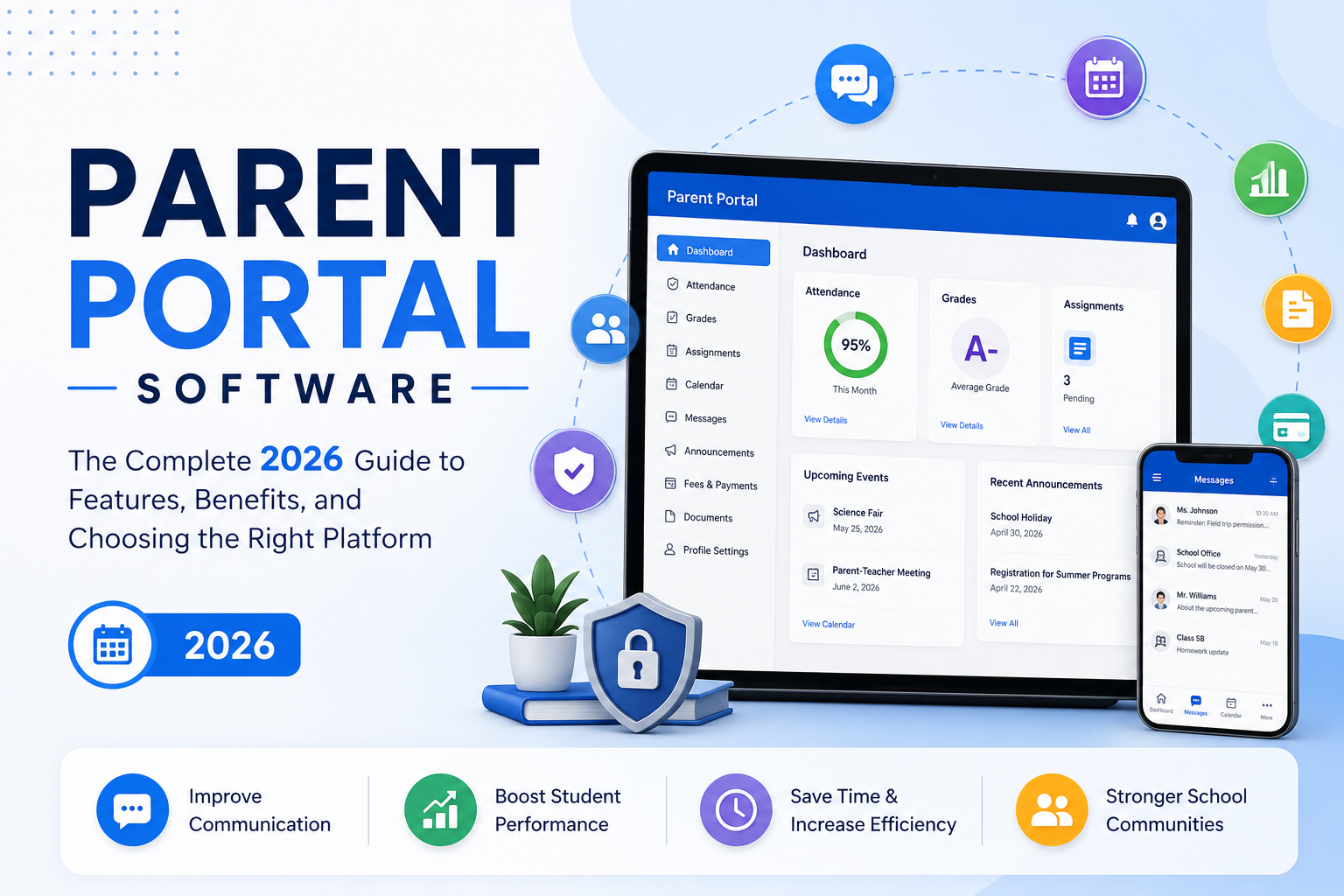
Parents today expect the same real-time visibility into their child's school life that they get from a banking app or a delivery tracker. Report cards mailed home once a quarter and phone tag with the front office no longer cut it. That shift is why parent portal software has moved from a nice-to-have to core infrastructure for schools, daycares, tutoring centers, and colleges alike.
Parent portal software is a secure, web and mobile based system that gives parents and guardians self-service access to their child's grades, attendance, and billing, along with a direct line to message teachers and staff. It replaces phone calls, paper folders, and mailed report cards with something parents can check on their own time.
That's the short version. This guide covers the features that separate a genuinely useful portal from a digitized filing cabinet, what the leading platforms actually cost, how the major named vendors stack up against each other, and how to choose the right one for your institution, whether that's a 200-student private school, a daycare, a multi-branch tutoring franchise, or a college.
What Is Parent Portal Software?
Parent portal software gives families a single, secure login to see their child's academic, attendance, and billing information, plus a direct channel to message teachers and administrators. Instead of calling the front office, checking a paper folder, or waiting on a mailed report card, a parent just logs in.
Most parent portals aren't sold as standalone products. They're typically a module inside a larger platform: a Student Information System (SIS), a school ERP, or an all-in-one education management system. The portal is simply the parent-facing window into that underlying system. That's also why portal quality varies so much between vendors. A portal is only as good as the data system feeding it.
Why Parent Portals Matter Right Now
Front-office teams routinely lose hours every week to repetitive phone calls about grades, attendance, and outstanding fees, time a self-service portal eliminates almost entirely. Academic problems are also easier to catch early. When parents only see a struggling grade once a quarter on a printed report card, intervention comes too late. Real-time dashboards flag missed assignments and attendance patterns while there's still time to act.
There's a retention argument too. Institutions that keep families genuinely informed tend to see stronger renewal rates and more referrals, because transparency builds trust, and trust is what keeps a family enrolled year over year.
And family structures have changed. Divorced parents, shared custody, blended families, and multi-child households are the norm now, not the exception. A modern portal has to handle that complexity instead of assuming one child equals one parent equals one login.
Parent Portal vs SIS vs LMS vs ERP
This is one of the most common points of confusion for first-time buyers, mostly because vendors use these terms loosely.
| System | Primary Purpose | What It Manages |
|---|---|---|
| Parent Portal | Family-facing access layer | The view parents and students see — grades, attendance, billing, messages |
| SIS (Student Information System) | Academic data backbone | Enrollment, scheduling, grades, official records |
| LMS (Learning Management System) | Content delivery | Assignments, coursework, quizzes, learning materials |
| ERP (Enterprise Resource Planning) | Institutional operations | Finance, HR, payroll, procurement, plus academic modules |
In practice, a parent portal is rarely purchased alone. It's a feature you get through an SIS or an ERP. So when you're evaluating "parent portal software," you're really evaluating the entire platform behind it, which is why data accuracy and ease of use elsewhere in the system matter just as much as the portal's interface.
Core Features to Look For
1. Real-Time Academic Access. Grades, assignment scores, and progress reports should update the moment a teacher enters them, not overnight and not on a weekly batch. Look for breakdowns by assignment type, not just a single overall grade.
2. Attendance Tracking and Alerts. Daily attendance should appear within minutes of a teacher taking roll, with automatic alerts for unexpected absences. Stronger systems also surface trends, like three late arrivals in two weeks, instead of only raw daily data.
3. Fee and Billing Management. Parents should see outstanding balances, payment history, and due dates, and be able to pay online via card or ACH without a separate login. If billing is your top priority, weigh payment processing fees and reminder automation as heavily as the portal's look and feel. A portal with weak billing tools usually means parents keep calling the office anyway.
4. Two-Way Communication. Secure, auditable messaging between parents and teachers, not just one-way announcement blasts, keeps conversations organized instead of scattered across email, WhatsApp, and paper notes.
5. Multi-Child and Multi-Guardian Support. This is where many platforms fall short. A strong portal lets a parent with three kids at the same school switch between them from one login, and supports separately permissioned accounts for divorced or separated parents, so one guardian might have full billing access while another has view-only academic access.
6. Document Management and E-Signatures. Permission slips, enrollment forms, and policy acknowledgments should be completable digitally, with an audit trail of who signed what and when.
7. Mobile Access and Push Notifications. A responsive web portal is the baseline. A dedicated mobile app with push notifications is what actually drives daily engagement, since most parents check their phones far more than they check email.
8. Security and Compliance. Look for FERPA compliance in the U.S., GDPR compliance if you serve EU families, encrypted data storage, and role-based access controls.
Top Parent Portal Platforms Compared (2026)
"Parent portal software" almost always means buying the SIS or ERP behind it. Here's how the platforms most commonly shortlisted actually differ on the parent-facing experience specifically.
| Platform | Parent Portal Strength | Best Fit | Typical Pricing Model |
|---|---|---|---|
| Clast.io | AI-powered parent and guardian dashboard built as a native role-based view rather than a bolt-on module | Schools wanting parent access, admissions, and finance in a single modern system | Tiered plans by student count |
| PowerSchool | Real-time grades, attendance, and messaging inside a widely adopted enterprise SIS | Large K-12 districts wanting a proven, deeply integrated system | Custom district quotes |
| Infinite Campus | Strong file-sharing and document exchange within the parent portal, with mobile apps on iOS and Android | Mid-market to large K-12 districts standardizing on one SIS statewide | Custom quotes, typically per student |
| Gradelink | Simple, high-usability parent portal for grades, attendance, homework, and payments | Small to mid-size private and charter schools wanting fast setup and support | Per-enrolled-student monthly pricing, often the most transparent of the group |
| Skyward | Family Access module covering grades, attendance, and schedules | Districts wanting a mobile-friendly portal bundled with broader SIS/ERP tools | Custom district quotes |
| Rediker (PlusPortals) | Deep SIS sync for grades, attendance, homework, and discipline records, updated automatically | Schools wanting tight, instant sync between gradebook and portal with no manual re-entry | Custom quotes |
| Classter | All-in-one portal covering grades, billing, and academic analytics alongside admissions and CRM | Schools that want SIS, billing, and admissions in one system instead of stitched together | Custom quotes based on modules and size |
| Veracross | ERP-grade parent portal with billing and community updates for independent schools | Independent and private schools that also need finance and advancement tools | Custom enterprise quotes |
Independent buyer research keeps surfacing the same pattern: reviewers rate ease of setup and quality of support as the biggest differentiators between these platforms, more than the feature checklist, which tends to look similar across vendors on paper. Ask any shortlisted vendor for reference customers your size, not just a feature demo.
Parent Portal Software by Institution Type
Parent portals aren't exclusive to traditional K-12 schools, and what counts as "best" depends heavily on what your institution actually needs.
- K-12 private, charter, and international schools need deep gradebook, attendance, and report-card functionality tied to an SIS. This is where PowerSchool, Infinite Campus, Skyward, and Gradelink compete most directly.
- Preschools, daycares, and childcare centers prioritize daily timeline updates (naps, meals, activities), photo sharing, and tuition billing over formal grading. Admissions and enrollment workflows matter more here than in K-12, since daycare waitlists and intake paperwork are a bigger operational burden. Look specifically at how a platform handles digital enrollment forms and waitlist-to-enrollment conversion, not just the parent dashboard.
- ABA therapy providers and pediatric-adjacent programs, including early intervention and developmental therapy centers, need parent portals that go beyond grades: session notes, progress toward behavioral goals, and HIPAA-adjacent data handling alongside FERPA. General K-12 SIS platforms often don't fit well here. Look instead at practice-management platforms built for therapy providers that happen to include a family portal, rather than education-first SIS vendors.
- Tutoring centers and language schools focus on scheduling, lesson attendance, and flexible billing (packages, subscriptions, prepaid credits) more than report cards. Platforms built specifically for this space, rather than adapted K-12 SIS tools, tend to handle multi-guardian billing and package-based payments more cleanly.
- Colleges and universities rarely use "parent portals" in the K-12 sense, since students become the primary account holder once they turn 18. What exists instead is usually limited "authorized user" or "guest access," commonly through platforms like Ellucian, Anthology, or Workday Student, where the student, not the school, explicitly grants a parent view-only access to billing or grades. If you're a college parent asking who makes parent portals for colleges, the honest answer is that it's rarely a standalone product, and access is student-authorized rather than automatic the way it is in K-12.
- After-school and enrichment programs need registration, waitlists, and per-session or per-package billing more than academic tracking.
How Parent Login and Access Actually Works
Setup differs slightly by platform, but the typical flow looks like this:
- The school creates the family record in the SIS or ERP, linking one or more guardians to one or more students.
- Each guardian gets an individual invite, usually by email, rather than a single shared household login. That's what makes separate permissions for divorced or co-parenting families possible.
- The guardian sets a password (or uses SSO) and, on most modern platforms, downloads a companion mobile app for push notifications.
- Permissions are configured per guardian, not per family, so one parent can have full billing and academic access while another has academics-only, view-only access.
- If a family has multiple children at the school, or a parent has kids in different grade levels, the portal should let them switch between kids from one login instead of requiring separate accounts.
If a vendor can't clearly explain step four, how a divorced or separated family gets configured, during a demo, treat that as a red flag rather than a detail to sort out later.
Who Uses Parent Portal Software?
Parent portals aren't exclusive to traditional K-12 schools. The category spans several distinct institution types, each with slightly different priorities:
- K-12 private, charter, and international schools need deep gradebook, attendance, and report-card functionality tied to an SIS.
- Preschools, nurseries, and childcare centers prioritize daily timeline updates (naps, meals, activities), photo sharing, and tuition billing over formal grading.
- Tutoring centers and language schools focus on scheduling, lesson attendance, and flexible billing (packages, subscriptions, prepaid credits) more than traditional report cards.
- Colleges and universities often use "parent/guest access" more sparingly, since students are typically the primary account holder once they turn 18.
- After-school and enrichment programs need registration, waitlists, and per-session or per-package billing more than academic tracking.
How to Choose the Right Parent Portal Software
Use this framework instead of picking based on the flashiest demo.
- Map your must-have features before you take a single demo. Write down your top five non-negotiables. A test-prep academy needs different tools than a Montessori preschool.
- Ask about real-time data, not "syncing." Some platforms still run overnight batch updates and call it real-time. Ask directly: if a teacher enters a grade at 2:00 PM, when does the parent see it? The honest answer should be instantly or within seconds.
- Test the multi-guardian and multi-child scenario yourself. Ask the vendor to walk through exactly how a divorced family with two children would be set up.
- Get pricing in writing early. Don't let "contact sales for a custom quote" become a stalling tactic. Ask for a realistic price range based on your student count.
- Confirm data migration support. Ask exactly how historical records, family contacts, and financial data will be imported, and who does the work.
- Involve teachers and office staff in testing, not just administrators. A system that looks good in a sales demo but is clunky for daily grade entry will fail on adoption regardless of its feature list.
- Check independent reviews, not just testimonials. Cross-reference vendor claims against reviews on G2 or Capterra, and pay particular attention to complaints about support responsiveness and onboarding time.
Parent Portal Software Costs: What to Expect
Most vendors hide pricing behind "request a demo" forms, which makes budgeting difficult. Based on how the market is typically structured, here's a realistic range:
| Institution Size | Typical Pricing Model | Approximate Monthly Range |
|---|---|---|
| Small (under 150 students) | Flat monthly fee or per-student | $50–$300/month |
| Mid-size (150–600 students) | Per-student or tiered plans | $300–$1,200/month |
| Large / multi-campus | Custom enterprise pricing | $1,200+/month, often with implementation fees |
A few cost factors to watch for beyond the base subscription: per-transaction payment processing fees (typically 2 to 3% on online tuition payments), one-time implementation or data migration fees, and add-on costs for a branded mobile app, SMS notifications, or additional integrations. Always ask for total cost of ownership for the first year, not just the advertised monthly rate. Note too that some enterprise SIS vendors price per student annually rather than monthly, which can make quotes hard to compare at a glance unless you normalize them yourself.
Implementation Best Practices
A parent portal only delivers value once families actually log in and use it. Rollouts fail more often from poor change management than from bad software.
- Stagger the rollout. Launch with one grade level or department before going institution-wide.
- Train staff before parents. Front-office and teaching staff need to be confident using the system before they're expected to support confused parents.
- Send a simple, benefit-focused announcement to families. Lead with "check grades and pay fees from your phone," not a list of technical features.
- Set a data-accuracy standard from day one. Establish who is responsible for entering attendance and grades and by what deadline.
- Track adoption, not just logins. Monitor how many parents actually complete key actions, like viewing a grade, paying a fee, or reading a message, not just how many create an account.
Common Challenges (and How to Solve Them)
Low parent adoption. Often caused by a confusing signup process. Fix it by generating pre-filled invite links tied to each family's email, rather than asking parents to self-register from scratch.
Data accuracy complaints. Usually a staff workflow problem, not a software bug. Set a same-day policy for attendance and grade entry so the portal never falls meaningfully behind the classroom.
Guardian access disputes. Establish a clear, written policy ideally reviewed by school leadership or legal counsel for how custody and guardian permissions are configured before you need it for a difficult case.
Notification overload. Too many automated alerts trains parents to ignore all of them. Let families control notification frequency and channel (app push vs. email vs. SMS) rather than sending everything to everyone.
The Role of AI in Modern Parent Portals
The newest generation of platforms is starting to move beyond simple data display toward genuinely proactive assistance. In practice, that looks like a few concrete capabilities: automatically summarizing a week's worth of grades and attendance into a plain-language digest for parents instead of a raw data table; flagging at-risk students earlier by detecting patterns across attendance, grades, and engagement that a human might not notice until a quarterly review; auto-drafting routine parent communications like absence follow-ups or fee reminders for staff to review and send; and answering common parent questions instantly through a chat interface instead of routing every question to the front office.
This is a meaningful shift from portals that simply digitize paper processes toward platforms that actively reduce staff workload. Institutions evaluating new software in 2026 should ask vendors directly what, if anything, is AI-powered versus what's simply branded that way the distinction matters more than the marketing.
A Modern Example: Clast.io
Clast.io is one example of this newer generation of platform. It's built as an AI-powered education operating system rather than a bolt-on parent module, combining student lifecycle management, admissions, finance, HR, and role-based communication in a single system, with a dedicated parent and guardian dashboard included as one of its role-based views rather than a separate add-on product. For institutions comparing platforms, it's worth checking during any demo whether the parent portal is a first-class part of the core product or an afterthought layered on top of an older system.
Conclusion
Parent portal software has become essential infrastructure for schools, nurseries, and tutoring centers because it replaces reactive, phone-based communication with real-time, self-service access to the information families actually need. When evaluating platforms, look past the marketing and test real-time data speed, multi-guardian handling, transparent pricing, and how well the system supports your specific institution type. The strongest platforms in 2026 are moving from simple data display toward proactive, AI-assisted communication a trend worth factoring into any long-term software decision.