
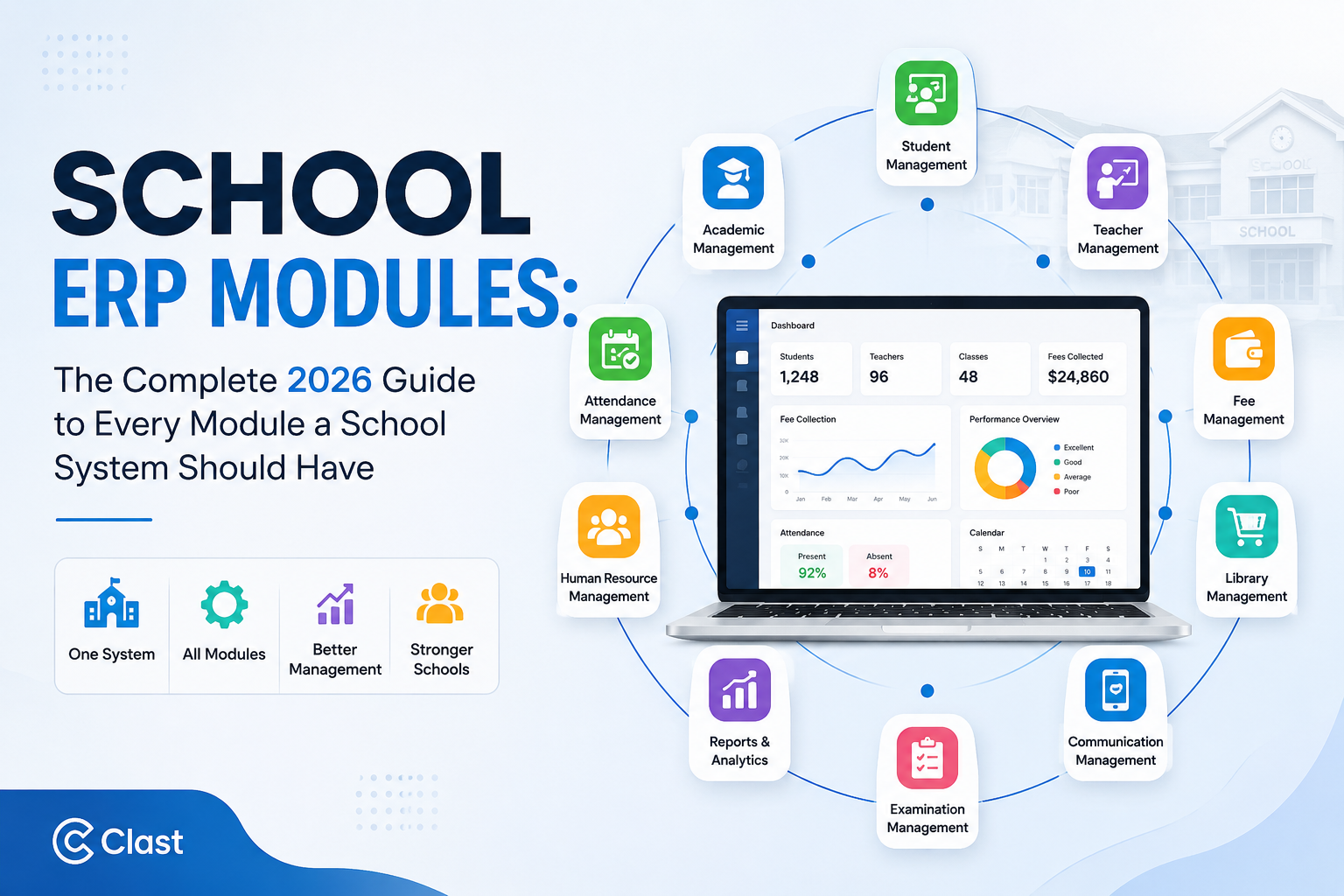
If you've started shopping for a school ERP system, you've probably noticed every vendor's website has some version of the same page: a grid of icons labeled "Admissions," "Fees," "Attendance," "Library." It's the least helpful part of most ERP websites, because it tells you what exists without telling you what matters for your institution or how the pieces are supposed to connect.
This guide does it differently. Below you'll find every meaningful school ERP module organized by function, what each one actually does day to day, which modules are non-negotiable versus nice-to-have depending on your institution type, and a practical framework for deciding what to activate first. We'll also cover how modules should connect to each other because a school ERP with 40 disconnected modules is barely better than 40 separate spreadsheets.
What Is a School ERP Module, Exactly?
A school ERP module is a self-contained functional unit inside a larger ERP platform admissions, fee collection, attendance, and so on that manages one specific area of school operations. On their own, modules are just digital versions of a paper process. What makes an ERP valuable is that its modules share a single underlying database, so a change in one place (a student is admitted, a fee is paid, a class is marked absent) automatically updates every other module that depends on that information, with no one re-typing the same data twice.
That distinction matters more than the module count itself. A platform advertising "80+ modules" that don't talk to each other will frustrate your staff faster than a platform with 20 modules that are genuinely integrated. Keep that in mind as you read the list below for each category, we've noted what real integration should look like, not just what the feature does in isolation.
Core Student & Administrative Modules
These are the modules almost every school, regardless of size, will use daily.
1. Admissions and Enrollment Management
Handles online application forms, document upload and verification, entrance test or interview scheduling, waitlist management, and offer letter generation. A well-built admissions module gives administrators a live pipeline view how many applications are pending, where families are dropping off rather than a folder of PDFs. When integrated properly, an accepted applicant automatically becomes a student record, with no manual re-entry into a separate system.
2. Student Information System (SIS)
The backbone module. It holds each student's complete profile personal details, academic history, attendance, health information, disciplinary notes, and fee status in one searchable record that follows them from enrollment through graduation. Every other academic module should read from and write back to this record rather than keeping its own separate copy of student data.
3. Attendance Management
Captures daily attendance through a teacher's mobile app, a biometric device, an RFID card, or facial recognition, and pushes an instant absence notification to parents. The real value shows up in the data patterns it produces over time which classes have chronic attendance issues, which students are trending toward risk not just the daily register itself.
4. Timetable and Scheduling
Automates class scheduling around teacher availability, room capacity, and subject requirements, and resolves conflicts that would otherwise take a coordinator days to untangle by hand. The better systems also handle substitute-teacher assignment automatically when a staff member is marked absent.
5. Examination and Grading
Manages exam scheduling, invigilator assignment, mark entry, automatic grade calculation, and report card generation. Marks entered here should flow straight into the student's permanent academic record and into any parent-facing portal, without a separate export-and-upload step.
6. Transport Management
Tracks bus routes, driver assignments, and student boarding/alighting records, typically paired with GPS tracking so parents can see the bus location and get alerts through the parent app. For schools running their own fleet, this is increasingly treated as a safety module, not just a logistics one.
7. Hostel and Boarding Management
For residential institutions, this covers room allocation, night attendance, mess/meal planning, warden remarks, and visitor logs for boarding students specifically. It's frequently bundled with transport in smaller platforms, but larger residential schools need it as a dedicated module with its own reporting.
8. Library Management
Digitizes cataloguing, barcode-based issue and return, overdue tracking, and fine collection. Better implementations let students and parents browse the catalogue and place holds from the parent portal instead of calling the librarian.
9. Inventory and Asset Management
Tracks school-owned equipment, lab supplies, uniforms, and consumables purchase orders, vendor records, stock levels, and depreciation for larger assets. Often overlooked in ERP shortlists, but it becomes essential once a school has more than one campus or a sizeable science/sports inventory to account for.
10. Visitor and Gate Management
Logs campus visitors with photo capture, ID verification, and appointment scheduling, and can require OTP-based verification for anyone collecting a child. This has moved from "nice to have" to a genuine safeguarding requirement at many schools in the past few years.
11. ID Card and Certificate Generation
Automates the design and bulk printing of student/staff ID cards, transfer certificates, bonafide certificates, and character certificates, pulling details directly from the student record so there's no manual data entry or formatting inconsistency between documents.
12. Front Office and Enquiry Management
Logs walk-in and phone enquiries before they become formal applications, tracks follow-ups, and feeds conversion data back to the admissions team useful for understanding where prospective families are lost before they ever apply.
Fee, Finance, and Payroll Modules
13. Fee Management and Online Payments
Configures fee structures by class, term, or category, applies sibling and merit concessions, sends automated payment reminders, and accepts online payments through cards, bank transfers, or local payment rails. A live collection dashboard should show finance staff exactly what's collected and what's outstanding at any moment, not at month-end.
14. Financial Accounting
Manages the school's general ledger vouchers, journal entries, trial balance, profit and loss, and balance sheet so fee collections and expenses post automatically rather than requiring a separate bookkeeping tool. Many platforms also offer direct integration with third-party accounting software for schools that already have an established finance workflow.
15. HR and Payroll
Covers staff contracts, salary structures, leave and attendance-linked pay calculation, loan/advance tracking, and payslip generation. When this module shares data with attendance and leave management, payroll accuracy improves significantly because pay runs are based on actual recorded attendance rather than manual timesheets.
16. Employee Leave and Attendance
Lets staff apply for leave from a mobile app and routes it through an approval workflow, while tracking biometric or app-based daily attendance for every employee category teaching and non-teaching alike.
17. Recruitment Management
Manages job postings, candidate applications, interview rounds, and offer letter issuance for schools with continuous or seasonal hiring needs particularly useful for larger institutions or school groups hiring across multiple campuses.
Academic and Learning Modules
18. Homework and Assignment Management
Lets teachers assign, collect, and grade homework digitally, with automatic reminders to students who haven't submitted. Pairs naturally with a gradebook so completion rates feed into a student's overall academic picture.
19. Lesson Planning
Gives teachers a structured way to plan curriculum coverage against the academic calendar, helping department heads verify that courses are on pace without chasing spreadsheets.
20. Health and Medical Records
Records immunization status, allergies, chronic conditions, and nurse visit logs, with the ability to share relevant health flags with parents and, where appropriate, external clinicians.
21. Behavior and Discipline Tracking
Logs both positive and negative behavioral incidents against a student's record, with automatic escalation to parents and counselors once a pattern crosses a defined threshold turning informal "the teacher mentioned something" conversations into a documented, trackable process.
22. Achievements and Co-Curricular Records
Tracks participation and results in sports, arts, and inter-school competitions, giving schools a complete record of a student's development beyond academic marks increasingly requested for college and scholarship applications.
23. Learning Management (LMS) Integration or Module
Handles course content, assignments, and online assessments. Some ERPs build this natively; others integrate with a dedicated LMS like Moodle or Google Classroom through open standards. Either way, grades and rosters need to sync automatically in both directions this is worth testing directly in a demo rather than taking on faith.
Communication Modules
24. Parent and Student Portal
The single interface where parents and students view attendance, grades, fees, homework, and announcements replacing the phone calls and front-office visits that otherwise consume staff time.
25. Multi-Channel Notifications (SMS, Email, WhatsApp, Push)
Sends automated alerts for absences, fee due dates, and exam results through whichever channel a family actually checks. In regions where WhatsApp is the dominant communication tool, ERPs without a native WhatsApp integration see measurably lower parent engagement.
26. Circulars and Announcements
Provides an official, numbered, archived channel for school-wide or class-specific notices distinct from informal messaging, and useful precisely because it creates a searchable record of what was communicated and when.
27. Parent-Teacher Meeting Scheduling
Lets parents book available slots directly, replacing the sign-up sheets and phone-tag that usually surround PTM season.
Operational, Compliance, and Analytics Modules
28. Role-Based Dashboards and Analytics
Gives each stakeholder principal, finance head, admissions counselor, teacher a dashboard scoped to what's relevant to their role, pulling live data from every connected module rather than a static monthly report.
29. Custom and Compliance Reporting
Generates the specific report formats regulators and boards require state or provincial compliance submissions, board-specific formats, or accreditation evidence packages without a manual data-gathering exercise each time one is due.
30. Security and Role-Based Access Control
Controls exactly which staff members can view or edit which data, down to individual fields in some platforms, along with full audit logs of who accessed or changed what.
31. Institutional Document Management
A searchable, version-controlled repository for policies, meeting minutes, and accreditation documents, with role-based approval workflows the difference between genuine knowledge management and a shared drive nobody keeps current.
32. Alumni Management
Maintains contact and career information for graduates, supporting reunions, fundraising, and mentorship programs more common in colleges and universities, but increasingly requested by K-12 schools building long-term community engagement.
33. Multi-Campus and Multi-Branch Consolidation
For school groups, this module lets each campus manage its own daily operations while central administration retains a consolidated, real-time view across every location essential once an institution has more than one site.
Emerging Modules Shaping 2026
A few modules that were "advanced" two years ago are now standard in modern platforms, and a few genuinely new categories are appearing:
- AI-powered early-warning systems that flag students showing early signs of academic or attendance risk before a teacher would otherwise notice.
- Predictive fee-collection nudges that identify which families are likely to miss a payment deadline and prioritize outreach accordingly.
- Unified knowledge management that connects institutional documents to live academic and staffing data rather than storing them as static files.
- API and integration hubs that let schools connect their ERP to third-party tools payment gateways, LMS platforms, government reporting systems without custom development for each one. If your school also runs an LMS, ask specifically whether the vendor supports rostering standards like OneRoster, which determines how cleanly class rosters and grades move between your ERP and your teaching platform.
Which Modules Do You Actually Need? A Framework by Institution Type
Not every school needs all 30+ modules from day one. Here's a realistic starting point by institution type:
| Institution Type | Must-Have From Day One | Add as You Grow |
|---|---|---|
| Small primary school (under 500 students) | SIS, admissions, attendance, fees, parent communication | Library, transport, HR/payroll |
| Mid-size K-12 school | All of the above, plus timetable, exams/grading, HR/payroll | Hostel, inventory, alumni |
| Multi-campus school group | All core modules plus multi-campus consolidation, financial accounting | Recruitment, document management, advanced analytics |
| College or university | SIS, admissions, finance, HR, exams, plus academic planning and accreditation reporting | Alumni, research/grants tracking (see our academic ERP system guide for higher-ed-specific modules) |
| Residential/boarding school | Core modules plus hostel management, health records, and visitor management from day one |
The most common mistake we see schools make is buying based on a feature checklist rather than their actual pain points. If your admin team's biggest headache is fee collection, activate that module properly and get real adoption before layering on library management and alumni tracking.
Standalone Modules vs an Integrated Platform
It's entirely possible to run a school on eight separate specialized tools instead of one ERP a fee-collection app, a separate attendance system, a standalone communication tool. Some small schools do exactly this to start. The tradeoff is what an integrated platform is built to solve: when modules live in different systems, someone has to manually reconcile a student's fee status, attendance record, and academic record across three logins, and errors creep in every time. This is the core argument for cloud-based school ERP over a patchwork of point solutions the modules matter less individually than how completely they share one underlying database.
It's also worth checking whether a vendor's pricing gates modules behind separate tiers. Several platforms compared in our roundup of top school ERP software charge extra for HR, payroll, or transport modules even after you've signed for the "full" plan worth confirming line by line before you commit, since add-on module fees are one of the most common places ERP costs quietly expand.
How Clast.io Approaches Modules
Clast.io ships every module student lifecycle management, admissions, fees and finance, HR, attendance, exams, communication, and analytics on every plan, rather than gating specific modules behind higher pricing tiers. Because every module reads from and writes to the same student and staff record, a fee payment, an attendance mark, and an exam result all update the same profile automatically, with no manual reconciliation between systems. Start a 7-day free trial to see how the modules connect using your own school's data no credit card required.
Conclusion
The best school ERP isn't the one with the longest feature list it's the one that makes your school run better. Prioritize the modules that address your biggest challenges, ensure they work together through a shared database, and expand as your needs grow. Ultimately, the real value of an ERP isn't how many modules you have, but how effectively they work together to turn fragmented school operations into one connected, efficient system.